
Selecting Data#
This notebook shows how to select data in dysh.
By selecting data, you can narrow down which scans or integrations the subsequent calibration routines will operate on.
We call such narrowing down a “selection rule.”
You create selection rules through methods of GBTFITSLoad, which uses an instance of Selection as an attribute called selection.
You can create multiple selection rules that will be logically ANDed to create a final rule at calibration time.
Dysh commands#
The following dysh commands are introduced (leaving out all the function arguments):
  filename = dysh_data()
  sdf = GBTFITSLoad()
  sdf.select()
  sb = sdf.getps()
  ta = sb.timeaverage()
  ta.baseline()
  ta.average()
  ta.plot()
  ta_plt.savefig()
Loading Modules#
We start by loading the modules we will use in this notebook.
# These modules are required for the notebook (no plotting is done)
import astropy.units as u
from astropy.time import Time
from dysh.log import init_logging
from dysh.fits.gbtfitsload import GBTFITSLoad
from dysh.log import init_logging

# These modules are used for file I/O
from dysh.util.files import dysh_data
from pathlib import Path
Setup#
We start the dysh logging, so we get more information about what is happening. This is only needed if working on a notebook. If using the CLI through the dysh command, then logging is setup for you.
init_logging(2)

# also create a local "output" directory where temporary notebook files can be stored.
output_dir = Path.cwd() / "output"
output_dir.mkdir(exist_ok=True)
Data Retrieval#
Download the example SDFITS data, if necessary.
The code below will download an SDFITS file from and put it in a data directory.
The code below will download an SDFITS file from http://www.gb.nrao.edu/dysh/example_data and put it in a data directory. The data directory must exist where this notebook is being run from, otherwise the downloaded SDFITS will be named data. The example will work either way, but be aware if you find a new file named data after running it.
# hi-survey/data/AGBT04A_008_02.raw.acs/AGBT04A_008_02.raw.acs.fits
filename = dysh_data(example="survey")
23:08:39.822 I Resolving example=survey -> hi-survey/data/AGBT04A_008_02.raw.acs/AGBT04A_008_02.raw.acs.fits
23:08:39.823 I url: http://www.gb.nrao.edu/dysh//example_data/hi-survey/data/AGBT04A_008_02.raw.acs/AGBT04A_008_02.raw.acs.fits
AGBT04A_008_02.raw.acs.fits already downloaded
Data Loading#
Next, we use GBTFITSLoad to load the data, and then its summary method to inspect its contents.
We add the UTC column to the summary.
sdfits = GBTFITSLoad(filename)
sdfits.summary(add_columns=["UTC"])
| SCAN | OBJECT | VELOCITY | PROC | PROCSEQN | RESTFREQ | # IF | # POL | # INT | # FEED | AZIMUTH | ELEVATION | UTC |
|---|---|---|---|---|---|---|---|---|---|---|---|---|
| 220 | 3C286 | 0.0 | OffOn | 1 | 1.400000 | 1 | 2 | 6 | 1 | 185.2806 | 82.0246 | 2004-04-22 04:51:41.035000192 |
| 221 | 3C286 | 0.0 | OffOn | 2 | 1.400000 | 1 | 2 | 6 | 1 | 187.2136 | 81.9980 | 2004-04-22 04:52:56.034999936 |
| 222 | 3C286 | 0.0 | OffOn | 1 | 1.400000 | 1 | 2 | 6 | 1 | 193.8331 | 81.8413 | 2004-04-22 04:57:18.034999936 |
| 223 | 3C286 | 0.0 | OffOn | 2 | 1.400000 | 1 | 2 | 6 | 1 | 195.6766 | 81.7788 | 2004-04-22 04:58:33.035000192 |
| 224 | 3C286 | 0.0 | OffOn | 1 | 1.400000 | 1 | 2 | 6 | 1 | 195.5182 | 80.2910 | 2004-04-22 05:00:06.034999936 |
| 225 | 3C286 | 0.0 | OffOn | 2 | 1.400000 | 1 | 2 | 5 | 1 | 199.9358 | 81.6005 | 2004-04-22 05:01:31.028000128 |
| 226 | 3C286 | 0.0 | OffOn | 1 | 1.400000 | 1 | 2 | 6 | 1 | 200.8333 | 80.0265 | 2004-04-22 05:04:25.035000192 |
| 227 | 3C286 | 0.0 | OffOn | 2 | 1.400000 | 1 | 2 | 6 | 1 | 205.9471 | 81.2609 | 2004-04-22 05:05:57.035000192 |
| 228 | B1328+254 | 0.0 | OffOn | 1 | 1.400000 | 1 | 2 | 6 | 1 | 207.5257 | 73.9844 | 2004-04-22 05:17:26.034999936 |
| 229 | B1328+254 | 0.0 | OffOn | 2 | 1.400000 | 1 | 2 | 6 | 1 | 210.9600 | 75.1584 | 2004-04-22 05:18:54.034999936 |
| 230 | B1345+125 | 0.0 | OffOn | 1 | 1.400000 | 1 | 2 | 18 | 1 | 193.2738 | 62.0703 | 2004-04-22 05:27:20.118333440 |
| 231 | B1345+125 | 0.0 | OffOn | 2 | 1.400000 | 1 | 2 | 18 | 1 | 195.6794 | 63.3244 | 2004-04-22 05:30:43.118333440 |
| 244 | B1345+125 | 0.0 | OffOn | 1 | 1.400000 | 1 | 2 | 18 | 1 | 200.9543 | 60.9284 | 2004-04-22 05:45:21.118333440 |
| 245 | B1345+125 | 0.0 | OffOn | 2 | 1.400000 | 1 | 2 | 18 | 1 | 203.5311 | 62.0587 | 2004-04-22 05:48:43.118333440 |
| 246 | B1345+125 | 0.0 | OffOn | 1 | 1.400000 | 1 | 2 | 18 | 1 | 204.3408 | 60.3930 | 2004-04-22 05:52:26.006111104 |
| 247 | B1345+125 | 0.0 | OffOn | 2 | 1.400000 | 1 | 2 | 18 | 1 | 206.9763 | 61.4655 | 2004-04-22 05:55:48.006111232 |
| 248 | B1345+125 | 0.0 | OffOn | 1 | 1.370000 | 1 | 2 | 18 | 1 | 208.0408 | 59.6983 | 2004-04-22 06:00:27.118333440 |
| 249 | B1345+125 | 0.0 | OffOn | 2 | 1.370000 | 1 | 2 | 18 | 1 | 210.7215 | 60.7060 | 2004-04-22 06:03:49.118333440 |
| 250 | B1345+125 | 0.0 | Track | 1 | 1.370000 | 1 | 2 | 3 | 1 | 215.2430 | 59.6119 | 2004-04-22 06:08:15.013333504 |
| 251 | B1345+125 | 0.0 | Track | 1 | 1.370000 | 1 | 2 | 3 | 1 | 215.9692 | 59.4175 | 2004-04-22 06:09:57.013333120 |
| 263 | U8091 | 213.0 | OffOn | 1 | 1.420405 | 1 | 2 | 30 | 1 | 241.1339 | 50.6393 | 2004-04-22 06:31:44.201666816 |
| 264 | U8091 | 213.0 | OffOn | 2 | 1.420405 | 1 | 2 | 30 | 1 | 240.9795 | 50.7395 | 2004-04-22 06:37:07.201666688 |
| 265 | U8091 | 213.0 | Track | 1 | 1.420405 | 1 | 2 | 3 | 1 | 243.4807 | 49.8234 | 2004-04-22 06:40:42.013332992 |
| 266 | U8249 | 2541.0 | OffOn | 1 | 1.420405 | 1 | 2 | 10 | 1 | 241.7065 | 50.2801 | 2004-04-22 06:45:34.062999936 |
| 267 | U8249 | 2541.0 | OffOn | 1 | 1.420405 | 1 | 2 | 30 | 1 | 242.6892 | 49.6343 | 2004-04-22 06:49:17.011333376 |
| 268 | U8249 | 2541.0 | OffOn | 2 | 1.420405 | 1 | 2 | 30 | 1 | 242.5451 | 49.7333 | 2004-04-22 06:54:41.011333248 |
| 269 | U8249 | 2541.0 | Track | 1 | 1.420405 | 1 | 2 | 3 | 1 | 244.9435 | 48.0787 | 2004-04-22 06:58:18.013332992 |
| 270 | U8503 | 4676.0 | OffOn | 1 | 1.420405 | 1 | 2 | 30 | 1 | 270.1741 | 60.2485 | 2004-04-22 07:05:18.201666816 |
| 271 | U8503 | 4676.0 | OffOn | 2 | 1.420405 | 1 | 2 | 30 | 1 | 269.9396 | 60.5449 | 2004-04-22 07:10:40.201666816 |
| 272 | U8091 | 213.0 | OffOn | 1 | 1.420405 | 1 | 2 | 30 | 1 | 253.5780 | 41.4420 | 2004-04-22 07:21:01.011333376 |
| 273 | U8091 | 213.0 | OffOn | 2 | 1.420405 | 1 | 2 | 30 | 1 | 253.4586 | 41.5517 | 2004-04-22 07:26:24.011333632 |
| 274 | U8091 | 213.0 | Track | 1 | 1.420405 | 1 | 2 | 3 | 1 | 255.5793 | 39.5541 | 2004-04-22 07:31:11.013333504 |
| 275 | U8249 | 2541.0 | OffOn | 1 | 1.420405 | 1 | 2 | 30 | 1 | 266.5469 | 46.8377 | 2004-04-22 07:36:10.011333376 |
| 276 | U8249 | 2541.0 | OffOn | 2 | 1.420405 | 1 | 2 | 30 | 1 | 266.3738 | 47.0388 | 2004-04-22 07:41:31.011333376 |
| 277 | U8249 | 2541.0 | Track | 1 | 1.420405 | 1 | 2 | 3 | 1 | 267.9426 | 45.1863 | 2004-04-22 07:45:11.013333504 |
| 278 | U9965 | 4524.0 | OffOn | 1 | 1.420405 | 1 | 2 | 30 | 1 | 221.5582 | 67.7182 | 2004-04-22 07:52:57.011333248 |
| 279 | U9965 | 4524.0 | OffOn | 2 | 1.420405 | 1 | 2 | 30 | 1 | 221.2070 | 67.8070 | 2004-04-22 07:58:27.011333632 |
| 280 | U9965 | 4524.0 | Track | 1 | 1.420405 | 1 | 2 | 3 | 1 | 222.9262 | 67.3657 | 2004-04-22 08:01:49.013333120 |
| 281 | U10351 | 891.0 | OffOn | 1 | 1.420405 | 1 | 2 | 30 | 1 | 221.2955 | 77.4668 | 2004-04-22 08:09:01.011333376 |
| 282 | U10351 | 891.0 | OffOn | 2 | 1.420405 | 1 | 2 | 30 | 1 | 220.4924 | 77.5922 | 2004-04-22 08:14:38.011333248 |
| 283 | U10351 | 891.0 | Track | 1 | 1.420405 | 1 | 2 | 3 | 1 | 227.9032 | 76.2644 | 2004-04-22 08:18:33.013333120 |
| 284 | U9007 | 4618.0 | OffOn | 1 | 1.420405 | 1 | 2 | 30 | 1 | 248.6632 | 38.3497 | 2004-04-22 08:26:53.011333376 |
| 285 | U9007 | 4618.0 | OffOn | 2 | 1.420405 | 1 | 2 | 30 | 1 | 248.5549 | 38.4433 | 2004-04-22 08:32:14.011333248 |
| 286 | U9007 | 4618.0 | Track | 1 | 1.420405 | 1 | 2 | 3 | 1 | 250.5574 | 36.6787 | 2004-04-22 08:36:03.013333504 |
| 287 | U9007 | 5257.0 | OffOn | 1 | 1.420405 | 1 | 2 | 30 | 1 | 234.2956 | 48.0209 | 2004-04-22 08:41:26.011333248 |
| 288 | U9007 | 5257.0 | OffOn | 2 | 1.420405 | 1 | 2 | 30 | 1 | 234.1669 | 48.0937 | 2004-04-22 08:46:50.011333376 |
| 289 | U9803 | 5257.0 | OffOn | 1 | 1.420405 | 1 | 2 | 30 | 1 | 264.9610 | 57.9997 | 2004-04-22 08:56:18.011333120 |
| 290 | U9803 | 5257.0 | OffOn | 2 | 1.420405 | 1 | 2 | 30 | 1 | 264.7276 | 58.2483 | 2004-04-22 09:01:40.011333504 |
| 291 | U9803 | 5257.0 | Track | 1 | 1.420405 | 1 | 2 | 3 | 1 | 266.5221 | 56.2884 | 2004-04-22 09:05:54.013332992 |
| 292 | U10351 | 891.0 | OffOn | 1 | 1.420405 | 1 | 2 | 30 | 1 | 252.1644 | 67.0847 | 2004-04-22 09:11:13.011333248 |
| 293 | U10351 | 891.0 | OffOn | 2 | 1.420405 | 1 | 2 | 30 | 1 | 251.8134 | 67.3038 | 2004-04-22 09:16:38.011333248 |
| 294 | U10351 | 891.0 | Track | 1 | 1.420405 | 1 | 2 | 3 | 1 | 255.3764 | 64.9184 | 2004-04-22 09:23:31.013333504 |
| 295 | U10629 | 2980.0 | OffOn | 1 | 1.420405 | 1 | 2 | 30 | 1 | 233.9472 | 66.8551 | 2004-04-22 09:29:00.011333248 |
| 296 | U10629 | 2980.0 | OffOn | 2 | 1.420405 | 1 | 2 | 30 | 1 | 233.5991 | 66.9846 | 2004-04-22 09:34:28.011333504 |
| 297 | U10629 | 2980.0 | OffOn | 1 | 1.420405 | 1 | 2 | 30 | 1 | 238.3584 | 65.0614 | 2004-04-22 09:40:00.011333632 |
| 298 | U10629 | 2980.0 | OffOn | 2 | 1.420405 | 1 | 2 | 30 | 1 | 238.0441 | 65.2006 | 2004-04-22 09:45:27.011333504 |
| 299 | U10629 | 2980.0 | Track | 1 | 1.420405 | 1 | 2 | 3 | 1 | 241.4405 | 63.6131 | 2004-04-22 09:49:02.013332992 |
| 300 | U11017 | 4644.0 | OffOn | 1 | 1.420405 | 1 | 2 | 30 | 1 | 235.4605 | 76.2074 | 2004-04-22 09:54:06.011333248 |
| 301 | U11017 | 4644.0 | OffOn | 2 | 1.420405 | 1 | 2 | 30 | 1 | 234.7726 | 76.3879 | 2004-04-22 09:59:39.011333376 |
| 302 | U11017 | 4644.0 | OffOn | 1 | 1.420405 | 1 | 2 | 30 | 1 | 241.5197 | 74.3514 | 2004-04-22 10:05:11.011333504 |
| 303 | U11017 | 4644.0 | OffOn | 2 | 1.420405 | 1 | 2 | 30 | 1 | 240.9590 | 74.5471 | 2004-04-22 10:10:43.011333632 |
| 304 | U11017 | 4644.0 | Track | 1 | 1.420405 | 1 | 2 | 3 | 1 | 242.6641 | 73.9425 | 2004-04-22 10:14:13.013333120 |
| 305 | U11017 | 4644.0 | Track | 1 | 1.420405 | 1 | 2 | 1 | 1 | 242.9359 | 73.8408 | 2004-04-22 10:14:48 |
| 306 | U11017 | 4644.0 | Track | 1 | 1.420405 | 1 | 2 | 3 | 1 | 246.0511 | 72.5738 | 2004-04-22 10:16:10.013332992 |
| 307 | U11461 | 3122.0 | OffOn | 1 | 1.420405 | 1 | 2 | 30 | 1 | 168.0531 | 59.8975 | 2004-04-22 10:25:22.011333120 |
| 308 | U11461 | 3122.0 | OffOn | 2 | 1.420405 | 1 | 2 | 30 | 1 | 167.8894 | 59.8843 | 2004-04-22 10:30:53.011333376 |
| 309 | U11461 | 3122.0 | OffOn | 1 | 1.420405 | 1 | 2 | 30 | 1 | 173.4698 | 60.2443 | 2004-04-22 10:36:22.011333248 |
| 310 | U11461 | 3122.0 | OffOn | 2 | 1.420405 | 1 | 2 | 30 | 1 | 173.3111 | 60.2376 | 2004-04-22 10:41:54.011333120 |
| 311 | U11461 | 3122.0 | Track | 1 | 1.420405 | 1 | 2 | 3 | 1 | 178.1207 | 60.3802 | 2004-04-22 10:45:45.013333120 |
| 312 | U11578 | 4601.0 | OffOn | 1 | 1.420405 | 1 | 2 | 30 | 1 | 156.3573 | 58.8036 | 2004-04-22 10:52:22.011333248 |
| 313 | U11578 | 4601.0 | OffOn | 2 | 1.420405 | 1 | 2 | 30 | 1 | 156.1796 | 58.7731 | 2004-04-22 10:57:50.011333248 |
| 314 | U11578 | 4601.0 | Track | 1 | 1.420405 | 1 | 2 | 3 | 1 | 160.4469 | 59.4464 | 2004-04-22 11:01:18.999999872 |
| 315 | U11578 | 4601.0 | Track | 1 | 1.420405 | 1 | 2 | 3 | 1 | 161.0040 | 59.5231 | 2004-04-22 11:02:30.013332992 |
| 316 | U11627 | 4864.0 | OffOn | 1 | 1.420405 | 1 | 2 | 30 | 1 | 157.8065 | 55.3372 | 2004-04-22 11:07:12.011333632 |
| 317 | U11627 | 4864.0 | OffOn | 2 | 1.420405 | 1 | 2 | 30 | 1 | 157.6549 | 55.3107 | 2004-04-22 11:12:39.011333504 |
| 318 | U11627 | 4864.0 | OffOn | 1 | 1.420405 | 1 | 2 | 30 | 1 | 162.4625 | 56.0655 | 2004-04-22 11:18:07.011333248 |
| 319 | U11627 | 4864.0 | OffOn | 2 | 1.420405 | 1 | 2 | 30 | 1 | 162.3199 | 56.0465 | 2004-04-22 11:23:36.011333376 |
| 320 | U11627 | 4864.0 | Track | 1 | 1.420405 | 1 | 2 | 3 | 1 | 166.7983 | 56.5802 | 2004-04-22 11:28:00.013333376 |
| 321 | U11992 | 3592.0 | Track | 1 | 1.420405 | 1 | 2 | 3 | 1 | 124.4762 | 54.3242 | 2004-04-22 11:32:01.013333120 |
| 322 | U11992 | 3592.0 | OffOn | 1 | 1.420405 | 1 | 2 | 30 | 1 | 125.6320 | 54.9128 | 2004-04-22 11:35:30.011333120 |
| 323 | U11992 | 3592.0 | OffOn | 2 | 1.420405 | 1 | 2 | 30 | 1 | 125.4565 | 54.8251 | 2004-04-22 11:40:55.011333504 |
Using Selection#
Now we show various ways in which GBTFITSLoad.selection can be used to select data.
Select by column value#
One way of selecting data is by specifying a value for an SDFITS column name. (The column name case insensitive, but the value is not). For example, we can select data which has OBJECT=”U8249” or OBJECT=”U8249” using the following.
Note Selecting values in a list will logically OR those values. So object=["U8249","U11017"] will select scans with either object. But multiple keywords (columns) will be logically ANDed (see below).
sdfits.select(object=["U8249","U11017"])
We can view the contents of the selection using its show method.
This displays the selection as a table.
The # Selected column gives the number of records (integrations) selected by each selection rule.
Each time we create a new selection, it is assigned a unique id and tag.
sdfits.selection.show()
 ID    TAG          OBJECT       # SELECTED
--- --------- ------------------ ----------
  0 919e9c43a ['U8249','U11017']        572
We can also specify the tag name to have a more meaningful value.
sdfits.select(proc="OffOn", tag='proc onoff')
sdfits.selection.show()
 ID    TAG           OBJECT        PROC # SELECTED
--- ---------- ------------------ ----- ----------
  0  919e9c43a ['U8249','U11017']              572
  1 proc onoff                    OffOn       3540
Combining Selections#
Once we have multiple selection rules in the Selection object, we can combine them into a single selection using the final property.
This will return a pandas.DataFrame.
sdfits.selection.final
| OBJECT | BANDWID | DATE-OBS | DURATION | EXPOSURE | TSYS | TDIM7 | TUNIT7 | CTYPE1 | CRVAL1 | ... | SITELAT | SITEELEV | EXTNAME | FITSINDEX | UTC | CHAN | PROC | OBSTYPE | SUBOBSMODE | INTNUM | |
|---|---|---|---|---|---|---|---|---|---|---|---|---|---|---|---|---|---|---|---|---|---|
| 0 | U8249 | 12500000.0 | 2004-04-22T06:44:49.00 | 5.005 | 4.779488 | 1.0 | (32768,1,1,1) | Counts | FREQ-OBS | 1.408421e+09 | ... | 38.43312 | 824.595 | SINGLE DISH | 0 | 2004-04-22 06:44:49.000 | None | OffOn | PSWITCHOFF | TPWCAL | 0 |
| 1 | U8249 | 12500000.0 | 2004-04-22T06:44:49.00 | 5.005 | 4.779488 | 1.0 | (32768,1,1,1) | Counts | FREQ-OBS | 1.408421e+09 | ... | 38.43312 | 824.595 | SINGLE DISH | 0 | 2004-04-22 06:44:49.000 | None | OffOn | PSWITCHOFF | TPWCAL | 0 |
| 2 | U8249 | 12500000.0 | 2004-04-22T06:44:49.00 | 5.005 | 4.779488 | 1.0 | (32768,1,1,1) | Counts | FREQ-OBS | 1.408421e+09 | ... | 38.43312 | 824.595 | SINGLE DISH | 0 | 2004-04-22 06:44:49.000 | None | OffOn | PSWITCHOFF | TPWCAL | 0 |
| 3 | U8249 | 12500000.0 | 2004-04-22T06:44:49.00 | 5.005 | 4.779488 | 1.0 | (32768,1,1,1) | Counts | FREQ-OBS | 1.408421e+09 | ... | 38.43312 | 824.595 | SINGLE DISH | 0 | 2004-04-22 06:44:49.000 | None | OffOn | PSWITCHOFF | TPWCAL | 0 |
| 4 | U8249 | 12500000.0 | 2004-04-22T06:44:59.01 | 5.005 | 4.779488 | 1.0 | (32768,1,1,1) | Counts | FREQ-OBS | 1.408421e+09 | ... | 38.43312 | 824.595 | SINGLE DISH | 0 | 2004-04-22 06:44:59.010 | None | OffOn | PSWITCHOFF | TPWCAL | 1 |
| ... | ... | ... | ... | ... | ... | ... | ... | ... | ... | ... | ... | ... | ... | ... | ... | ... | ... | ... | ... | ... | ... |
| 515 | U11017 | 12500000.0 | 2004-04-22T10:12:48.02 | 10.000 | 9.596709 | 1.0 | (32768,1,1,1) | Counts | FREQ-OBS | 1.398806e+09 | ... | 38.43312 | 824.595 | SINGLE DISH | 0 | 2004-04-22 10:12:48.020 | None | OffOn | PSWITCHON | TPNOCAL | 27 |
| 516 | U11017 | 12500000.0 | 2004-04-22T10:12:58.02 | 10.000 | 9.596709 | 1.0 | (32768,1,1,1) | Counts | FREQ-OBS | 1.398806e+09 | ... | 38.43312 | 824.595 | SINGLE DISH | 0 | 2004-04-22 10:12:58.020 | None | OffOn | PSWITCHON | TPNOCAL | 28 |
| 517 | U11017 | 12500000.0 | 2004-04-22T10:12:58.02 | 10.000 | 9.596709 | 1.0 | (32768,1,1,1) | Counts | FREQ-OBS | 1.398806e+09 | ... | 38.43312 | 824.595 | SINGLE DISH | 0 | 2004-04-22 10:12:58.020 | None | OffOn | PSWITCHON | TPNOCAL | 28 |
| 518 | U11017 | 12500000.0 | 2004-04-22T10:13:08.02 | 10.000 | 9.596709 | 1.0 | (32768,1,1,1) | Counts | FREQ-OBS | 1.398806e+09 | ... | 38.43312 | 824.595 | SINGLE DISH | 0 | 2004-04-22 10:13:08.020 | None | OffOn | PSWITCHON | TPNOCAL | 29 |
| 519 | U11017 | 12500000.0 | 2004-04-22T10:13:08.02 | 10.000 | 9.596709 | 1.0 | (32768,1,1,1) | Counts | FREQ-OBS | 1.398806e+09 | ... | 38.43312 | 824.595 | SINGLE DISH | 0 | 2004-04-22 10:13:08.020 | None | OffOn | PSWITCHON | TPNOCAL | 29 |
520 rows × 94 columns
In this particular case, we wind up with 520 integrations. This is a selection of objects U8249 or U11017 AND proc OnOff. Because keywords in the same selection rule are logically ANDed, this could also have been accomplished via
sdfits.select(object=["U8249","U11017"], proc="OffOn")
(Try it yourself).
You can also see a summary of the selected data, using the selected argument of summary:
sdfits.summary(selected=True)
| SCAN | OBJECT | VELOCITY | PROC | PROCSEQN | RESTFREQ | # IF | # POL | # INT | # FEED | AZIMUTH | ELEVATION |
|---|---|---|---|---|---|---|---|---|---|---|---|
| 266 | U8249 | 2541.0 | OffOn | 1 | 1.420405 | 1 | 2 | 10 | 1 | 241.7065 | 50.2801 |
| 267 | U8249 | 2541.0 | OffOn | 1 | 1.420405 | 1 | 2 | 30 | 1 | 242.6892 | 49.6343 |
| 268 | U8249 | 2541.0 | OffOn | 2 | 1.420405 | 1 | 2 | 30 | 1 | 242.5451 | 49.7333 |
| 275 | U8249 | 2541.0 | OffOn | 1 | 1.420405 | 1 | 2 | 30 | 1 | 266.5469 | 46.8377 |
| 276 | U8249 | 2541.0 | OffOn | 2 | 1.420405 | 1 | 2 | 30 | 1 | 266.3738 | 47.0388 |
| 300 | U11017 | 4644.0 | OffOn | 1 | 1.420405 | 1 | 2 | 30 | 1 | 235.4605 | 76.2074 |
| 301 | U11017 | 4644.0 | OffOn | 2 | 1.420405 | 1 | 2 | 30 | 1 | 234.7726 | 76.3879 |
| 302 | U11017 | 4644.0 | OffOn | 1 | 1.420405 | 1 | 2 | 30 | 1 | 241.5197 | 74.3514 |
| 303 | U11017 | 4644.0 | OffOn | 2 | 1.420405 | 1 | 2 | 30 | 1 | 240.9590 | 74.5471 |
Remove selection rules#
You can remove a selection rule by id or tag.
Multiple rows with the same tag will all be removed.
sdfits.selection.remove(id=0)
sdfits.selection.show()
 ID    TAG      PROC # SELECTED
--- ---------- ----- ----------
  1 proc onoff OffOn       3540
To remove all selection rules use clear_selection.
After using it, the Selection will show no selection rules.
sdfits.clear_selection()
sdfits.selection.show()
 ID TAG OBJECT BANDWID DATE-OBS ... SUBOBSMODE FITSINDEX CHAN UTC # SELECTED
--- --- ------ ------- -------- ... ---------- --------- ---- --- ----------
Select by Range#
It is also possible to define a selection given a range of values using select_range.
In this case the selection must be specified using either a list, [], or a tuple, (), with a start and an end value. Ranges are considered inclusive of both ends.
Lower limits are give by (value,None) or (value,).
Upper limits are given by (None,value), since (,value) is not valid Python.
For coordinates the default unit is taken to be degrees.
Other units can be explicitly given.
Both () and [] are valid for indicated ranges, but only tuples can be a lower limit (value,).
For example to select only rows where the right ascension is greater than 114 degrees:
sdfits.select_range(ra=(114,), tag="RA>=114 deg")
sdfits.selection.show()
 ID     TAG            CRVAL2       # SELECTED
--- ----------- ------------------- ----------
  0 RA>=114 deg [np.float64(114.0)]       3766
(Right Ascension is the FITS CRVAL2 column).
To select rows where the elevation is below 80 degrees:
sdfits.select_range(elevation=[None,80], tag="EL<80")
sdfits.selection.show()
 ID     TAG            CRVAL2        ELEVATIO # SELECTED
--- ----------- ------------------- --------- ----------
  0 RA>=114 deg [np.float64(114.0)]                 3766
  1       EL<80                     [None,80]       3582
(Note elevation column is ELEVATIO because the FITS standard only allow 8 characters for column names).
We can check that the selections were applied properly by inspecting the final result and a subset of its columns.
sdfits.selection.final[["OBJECT","CRVAL2","ELEVATIO"]]
| OBJECT | CRVAL2 | ELEVATIO | |
|---|---|---|---|
| 0 | 3C286 | 202.784508 | 79.997019 |
| 1 | 3C286 | 202.784508 | 79.997019 |
| 2 | 3C286 | 202.784508 | 79.997019 |
| 3 | 3C286 | 202.784508 | 79.997019 |
| 4 | B1328+254 | 202.066324 | 74.023075 |
| ... | ... | ... | ... |
| 3577 | U11992 | 335.197517 | 55.157387 |
| 3578 | U11992 | 335.197520 | 55.183819 |
| 3579 | U11992 | 335.197520 | 55.183819 |
| 3580 | U11992 | 335.197546 | 55.210211 |
| 3581 | U11992 | 335.197546 | 55.210211 |
3582 rows × 3 columns
It is also possible to use units during selection. For example
sdfits.select_range(dec=[854, 855] * u.arcmin, tag="14.23<=DEC<=14.25")
sdfits.selection.show()
 ID        TAG               CRVAL2       ...  ELEVATIO # SELECTED
--- ----------------- ------------------- ... --------- ----------
  0       RA>=114 deg [np.float64(114.0)] ...                 3766
  1             EL<80                     ... [None,80]       3582
  2 14.23<=DEC<=14.25                     ...                  132
sdfits.summary(selected=True)
| SCAN | OBJECT | VELOCITY | PROC | PROCSEQN | RESTFREQ | # IF | # POL | # INT | # FEED | AZIMUTH | ELEVATION |
|---|---|---|---|---|---|---|---|---|---|---|---|
| 321 | U11992 | 3592.0 | Track | 1 | 1.420405 | 1 | 2 | 3 | 1 | 124.4762 | 54.3242 |
| 322 | U11992 | 3592.0 | OffOn | 1 | 1.420405 | 1 | 2 | 30 | 1 | 125.6320 | 54.9128 |
| 323 | U11992 | 3592.0 | OffOn | 2 | 1.420405 | 1 | 2 | 30 | 1 | 125.4565 | 54.8251 |
Select Within a Range#
It is also possible to specify the midpoint and a range to make a selection.
In this case we use select_within and specify the mean value and the +- range.
For example to select between elevation of 50-10 and 50+10 we would use
sdfits.select_within(elevation=(50,10), tag="EL=50+/-10")
sdfits.selection.show()
 ID        TAG               CRVAL2       ...  ELEVATIO # SELECTED
--- ----------------- ------------------- ... --------- ----------
  0       RA>=114 deg [np.float64(114.0)] ...                 3766
  1             EL<80                     ... [None,80]       3582
  2 14.23<=DEC<=14.25                     ...                  132
  3        EL=50+/-10                     ...   [40,60]       1694
Which shows a selection between 40 and 60 degrees of elevation.
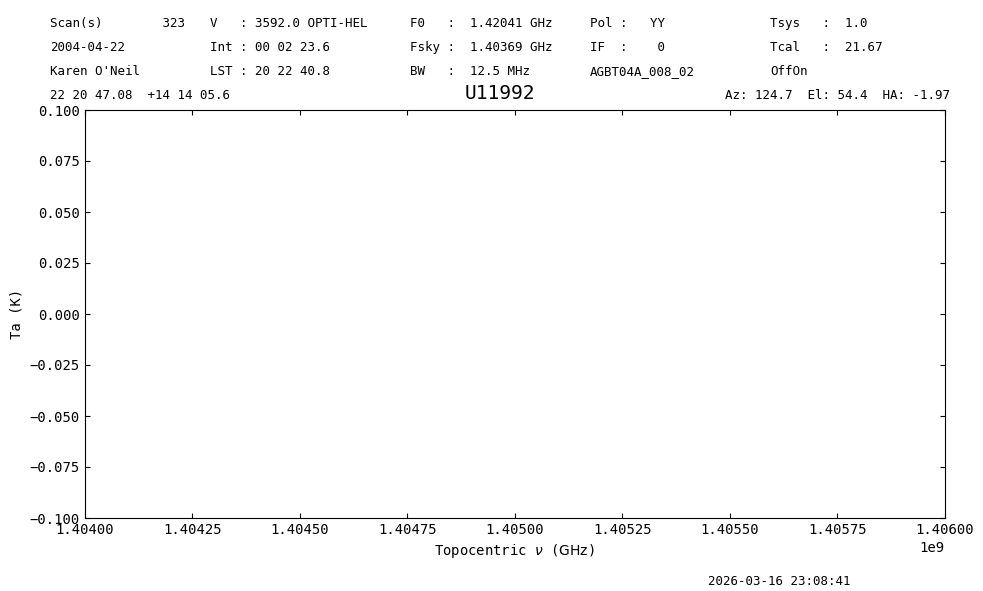
Now, when you do a getps it will operate only on the selected data.
(Currently, you can’t preselect ifnum, plnum, or fdnum; they must be provided as method arguments).
sb = sdfits.getps(ifnum=0, plnum=0, fdnum=0)
sb.timeaverage().plot(ymin=-.1, ymax=.1, xmin=1.404E9, xmax=1.406E9);
23:08:41.078 I Using TSYS column
Using Aliases#
Selection knows about certain aliases for column names.
For example, the SDFITS column ELEVATIO can also be selected using ELEVATION.
The aliases are defined in the aliases attribute of Selection.
sdfits.selection.aliases
{'FREQ': 'CRVAL1',
 'RA': 'CRVAL2',
 'DEC': 'CRVAL3',
 'GLON': 'CRVAL2',
 'GLAT': 'CRVAL3',
 'GALLON': 'CRVAL2',
 'GALLAT': 'CRVAL3',
 'ELEVATION': 'ELEVATIO',
 'SOURCE': 'OBJECT',
 'POL': 'PLNUM',
 'SUBREF': 'SUBREF_STATE'}
It is also possible to add your own aliases. For example to use target and az as aliases for OBJECT and AZIMUTH we would use
sdfits.selection.alias({'target':'object','az':'azimuth'})
sdfits.selection.aliases
{'FREQ': 'CRVAL1',
 'RA': 'CRVAL2',
 'DEC': 'CRVAL3',
 'GLON': 'CRVAL2',
 'GLAT': 'CRVAL3',
 'GALLON': 'CRVAL2',
 'GALLAT': 'CRVAL3',
 'ELEVATION': 'ELEVATIO',
 'SOURCE': 'OBJECT',
 'POL': 'PLNUM',
 'SUBREF': 'SUBREF_STATE',
 'TARGET': 'OBJECT',
 'AZ': 'AZIMUTH'}
Then you can select using your aliases:
sdfits.select(target="U8249")
sdfits.selection.show()
 ID        TAG        OBJECT ...  ELEVATIO # SELECTED
--- ----------------- ------ ... --------- ----------
  0       RA>=114 deg        ...                 3766
  1             EL<80        ... [None,80]       3582
  2 14.23<=DEC<=14.25        ...                  132
  3        EL=50+/-10        ...   [40,60]       1694
  4         cfffdc371  U8249 ...                  304
Notice that this will only affect the aliases for this particular instance of a GBTFITSLoad.
Any new GBTFITSLoad objects will not know about these aliases.
Empty Selections#
Any selection that results in no data being selected is ignored. You will get a warning message in this case.
sdfits.selection.select(target='foobar')
sdfits.selection.show()
23:08:42.503 W Your selection rule resulted in no data being selected. Ignoring.
 ID        TAG        OBJECT ...  ELEVATIO # SELECTED
--- ----------------- ------ ... --------- ----------
  0       RA>=114 deg        ...                 3766
  1             EL<80        ... [None,80]       3582
  2 14.23<=DEC<=14.25        ...                  132
  3        EL=50+/-10        ...   [40,60]       1694
  4         cfffdc371  U8249 ...                  304
Time Selections#
UTC time ranges can be selected with astropy.time.Time objects.
This checks against the UTC timestamp column.
For LST, use select_range(lst=[number1,number2]).
# clear the selection for this demonstration
sdfits.clear_selection()
sdfits.select_range(utc=(Time("2004-04-22T05:27:20.12", scale="utc"),
                         Time("2004-04-22T05:48:43.12", scale="utc")),
                    tag="time range")
sdfits.selection.show()
 ID    TAG     ... # SELECTED
--- ---------- ... ----------
  0 time range ...        216
sdfits.selection.final[["SCAN","OBJECT","UTC", "LST","PLNUM","IFNUM","FDNUM"]]
| SCAN | OBJECT | UTC | LST | PLNUM | IFNUM | FDNUM | |
|---|---|---|---|---|---|---|---|
| 0 | 230 | B1345+125 | 2004-04-22 05:27:25.130 | 51035.015413 | 1 | 0 | 0 |
| 1 | 230 | B1345+125 | 2004-04-22 05:27:25.130 | 51035.015413 | 1 | 0 | 0 |
| 2 | 230 | B1345+125 | 2004-04-22 05:27:25.130 | 51035.015413 | 0 | 0 | 0 |
| 3 | 230 | B1345+125 | 2004-04-22 05:27:25.130 | 51035.015413 | 0 | 0 | 0 |
| 4 | 230 | B1345+125 | 2004-04-22 05:27:35.140 | 51045.056730 | 1 | 0 | 0 |
| ... | ... | ... | ... | ... | ... | ... | ... |
| 211 | 245 | B1345+125 | 2004-04-22 05:48:28.100 | 52301.445514 | 0 | 0 | 0 |
| 212 | 245 | B1345+125 | 2004-04-22 05:48:38.110 | 52311.486833 | 1 | 0 | 0 |
| 213 | 245 | B1345+125 | 2004-04-22 05:48:38.110 | 52311.486833 | 1 | 0 | 0 |
| 214 | 245 | B1345+125 | 2004-04-22 05:48:38.110 | 52311.486833 | 0 | 0 | 0 |
| 215 | 245 | B1345+125 | 2004-04-22 05:48:38.110 | 52311.486833 | 0 | 0 | 0 |
216 rows × 7 columns
Channel Selection#
You can selection a contiguous range of channels using select_channel, and the integrations will be trimmed to that channel range during calibration. The final spectrum will have the input channel range. As with select_range, channel ranges are inclusive at both ends.
sdfits.select_channel([2000,6000], tag="channels")
sdfits.selection.show()
 ID    TAG     ... # SELECTED
--- ---------- ... ----------
  0 time range ...        216
  1   channels ...       3766
sb = sdfits.getps(ifnum=0, plnum=1, fdnum=0)
sb.timeaverage().plot(xaxis_unit="channel");
23:08:42.761 I Ignoring 9 blanked integration(s).
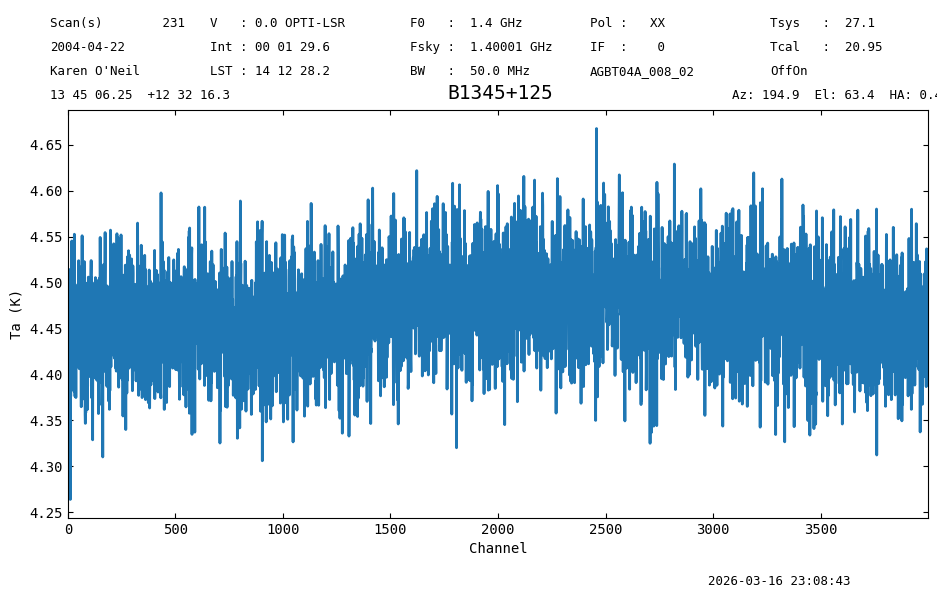
The resulting Spectrum only has 4000 channels, as specified by the channel selection.
Note that you can only have one channel selection rule at a time.
try:
    sdfits.select_channel([60,70])
except Exception as e:
    print(e)
You can only have one channel selection rule. Remove the old rule before creating a new one.
Final Stats#
Finally, at the end we compute some statistics over a spectrum, merely as a checksum if the notebook is reproducible.
This particular case has a mixed number of scanblocks, so we just pick the first.
sb.timeaverage().check_stats(0.05038713 * u.K)
23:08:43.435 I rms is OK