
Spectral Line Search#
This notebook shows how to use dysh to search for spectral lines. Searches can be done for a user-specified frequency range or for the frequency axis of a Spectrum. You can use a remote query to Splatalogue or use local tables distributed with dysh.
First we show how to do a search using a SpectralLineSearch object, then using a Spectrum object. Examples are given both with and without a redshift value.
Dysh commands#
The following dysh commands are introduced (leaving out all the function arguments):
  tbl1 = SpectralLineSearch.query_lines()
  tbl2 = SpectralLineSearch.recomb()
  tbl3 = SpectralLineSearch.recomball()
  SpectralLineSearch.clear_cache()

  sp = Spectrum.fake_spectrum()
  sp.plot()
  sp.recomb()
  sp.query_lines()
Loading Modules#
We start by loading the modules we will use.
# These modules are required for this example.
from dysh.line import SpectralLineSearch
from dysh.spectra import Spectrum
from dysh.log import init_logging
from astropy import units as u
# These modules are used for file I/O
from dysh.util.files import dysh_data
from pathlib import Path
Setup#
dysh uses a logger to communicate. If you are working in the command line, then the logging is setup for you. If you are working in a jupyter lab instance, then you need to set it up. You can do so using the init_logging function imported above. As an argument, init_logging takes a number, the verbosity level. level 0 is for error messages only, 1 for warning, 2 for info and 3 for debug. Here we set it to level 2.
init_logging(2)

# also create a local "output" directory where temporary notebook files can be stored.
output_dir = Path.cwd() / "output"
output_dir.mkdir(exist_ok=True)
Example 1. Doing an online or local search with SpectralLineSearch#
SpectralLineSearch is a thin wrapper on top of astroquery.splatalogue.Splatalogue, with some additional conveniences for working in dysh and with GBT data. You search a catalog in a given frequency range, optionally narrow down to specific molecules, line strengths, energies, etc. The return object is an astropy Table. Below are a few example searches.
Do an online search for N2H+ lines between 80 and 400 GHz#
Online searching of Splatalogue is the default.
Note in this example we use an initial space in the chemical_name to eliminate other molecules that have the string 'N2H+' in them.
We set an intensity_lower_limit to weed out some of the weaker satellite lines.
When giving an intensity_lower_limit, one must also provide an intensity_type string, a minimum match to 'CDMS/JPL (log)', 'Sij-mu2', or 'Aij (log)'.
minfreq = 80*u.GHz
maxfreq = 400*u.GHz
table = SpectralLineSearch.query_lines(minfreq, maxfreq,
                                       chemical_name=" N2H+",
                                       intensity_lower_limit=-3,
                                       intensity_type="CDMS")
print(f"{len(table)} rows returned.")
57 rows returned.
To inspect the available columns use the Table.colnames attribute:
print(table.colnames)
['species_id', 'name', 'chemical_name', 'resolved_QNs', 'linelist', 'LovasASTIntensity', 'lower_state_energy', 'upper_state_energy', 'sijmu2', 'sij', 'aij', 'intintensity', 'Lovas_NRAO', 'rest_frequency', 'lower_state_energy_K', 'upper_state_energy_K', 'orderedFreq', 'measFreq', 'upperStateDegen', 'moleculeTag', 'qnCode', 'labref_Lovas_NIST', 'rel_int_HFS_Lovas', 'unres_quantum_numbers', 'lineid', 'transition_in_space', 'transition_in_G358', 'obsref_Lovas_NIST', 'source_Lovas_NIST', 'telescope_Lovas_NIST', 'transitionBandColor', 'searchErrorMessage', 'sqlquery', 'requestnumber', 'obs_frequency']
The rest_frequency column is the rest frequency of the transition in MHz.
Some columns in the table often have embedded HTML.
That’s the way they come from Splatalogue.
¯\_(ツ)_/¯
table
| species_id | name | chemical_name | resolved_QNs | linelist | LovasASTIntensity | lower_state_energy | upper_state_energy | sijmu2 | sij | aij | intintensity | Lovas_NRAO | rest_frequency | lower_state_energy_K | upper_state_energy_K | orderedFreq | measFreq | upperStateDegen | moleculeTag | qnCode | labref_Lovas_NIST | rel_int_HFS_Lovas | unres_quantum_numbers | lineid | transition_in_space | transition_in_G358 | obsref_Lovas_NIST | source_Lovas_NIST | telescope_Lovas_NIST | transitionBandColor | searchErrorMessage | sqlquery | requestnumber | obs_frequency |
|---|---|---|---|---|---|---|---|---|---|---|---|---|---|---|---|---|---|---|---|---|---|---|---|---|---|---|---|---|---|---|---|---|---|---|
| int64 | str57 | str11 | str44 | str4 | str4 | float64 | float64 | float64 | float64 | float64 | float64 | int64 | float64 | float64 | float64 | str71 | str67 | str2 | int64 | int64 | str1 | str1 | str18 | int64 | int64 | int64 | str6 | str8 | str13 | str18 | str1 | object | int64 | float64 |
| 148 | N<sub>2</sub>H<sup>+</sup> <font color="red">v = 0</font> | Diazenylium | J= 1 - 0, F<sub>1</sub>= 1- 1 | JPL | 0.8 | 0.0 | 3.10788 | 37.25038 | 3.222 | -4.40932 | -2.7844 | 1 | 93171.88 | 0.0 | 4.47152 | <span style = 'color: #DC143C'></span> | 93.17188 (0.04), <span style = 'color: #DC143C'>93.17188</span> | 9 | -29005 | 102 | J=1-0-F1=1-1 | 830340 | 1 | 0 | Cas95 | L134N | NRAO 11m | datatableskyblue | None | 0 | 93171.88 | |||
| 148 | N<sub>2</sub>H<sup>+</sup> <font color="red">v = 0</font> | Diazenylium | J = 1 - 0 | CDMS | 0.0 | 3.10793 | 104.04257 | 0.0 | -4.44034 | -2.3383 | 1 | 93173.3977 | 0.0 | 4.47165 | 93.1733977 (0.001), <span style = 'color: #DC143C'>93.1733977</span> | <span style = 'color: #DC143C'></span> | 27 | 29506 | 101 | 1 0 | 14632649 | 0 | 0 | datatableskyblue | None | 0 | 93173.3977 | |||||||
| 148 | N<sub>2</sub>H<sup>+</sup> <font color="red">v = 0</font> | Diazenylium | J= 1 - 0, F<sub>1</sub>= 2- 1 | JPL | 0.6 | 0.0 | 3.10794 | 62.08887 | 5.371 | -4.40926 | -2.5625 | 1 | 93173.7 | 0.0 | 4.47161 | <span style = 'color: #DC143C'></span> | 93.1737 (0.04), <span style = 'color: #DC143C'>93.1737</span> | 15 | -29005 | 102 | J=1-0-F1=2-1 | 830341 | 1 | 0 | Cas95 | L134N | NRAO 11m | datatableskyblue | None | 0 | 93173.7 | |||
| 148 | N<sub>2</sub>H<sup>+</sup> <font color="red">v = 0</font> | Diazenylium | J= 1- 0,F<sub>1</sub>= 2- 1,F= 3- 2 | CDMS | 0.0 | 3.10794 | 26.97166 | 0.0 | -4.44038 | -2.9246 | 1 | 93173.7699 | 0.0 | 4.47166 | 93.1737699 (0.0012), <span style = 'color: #DC143C'>93.1737699</span> | <span style = 'color: #DC143C'></span> | 7 | 29506 | 103 | 1 2 3 0 1 2 | 14632704 | 0 | 0 | datatableskyblue | None | 0 | 93173.7699 | |||||||
| 148 | N<sub>2</sub>H<sup>+</sup> <font color="red">v = 0</font> | Diazenylium | J= 2- 1,F<sub>1</sub>= 2- 2,F= 3- 3 | CDMS | 3.1079 | 9.32363 | 8.12394 | 0.0 | -4.05846 | -2.8534 | 1 | 186342.9249 | 4.4716 | 13.41471 | 186.3429249 (0.0022), <span style = 'color: #DC143C'>186.3429249</span> | <span style = 'color: #DC143C'></span> | 7 | 29506 | 103 | 2 2 3 1 2 3 | 14632714 | 0 | 0 | datatableyellow | None | 0 | 186342.9249 | |||||||
| 148 | N<sub>2</sub>H<sup>+</sup> <font color="red">v = 0</font> | Diazenylium | J= 2- 1,F<sub>1</sub>= 1- 0,F= 1- 1 | CDMS | 3.108 | 9.32374 | 7.46735 | 0.0 | -3.72708 | -2.89 | 1 | 186343.0616 | 4.47175 | 13.41486 | 186.3430616 (0.002), <span style = 'color: #DC143C'>186.3430616</span> | <span style = 'color: #DC143C'></span> | 3 | 29506 | 103 | 2 1 1 1 0 1 | 14632716 | 0 | 0 | datatableyellow | None | 0 | 186343.0616 | |||||||
| 148 | N<sub>2</sub>H<sup>+</sup> <font color="red">v = 0</font> | Diazenylium | J= 2- 1,F<sub>1</sub>= 1- 0,F= 2- 1 | CDMS | 3.108 | 9.32374 | 12.86961 | 0.0 | -3.71253 | -2.6536 | 1 | 186343.2691 | 4.47175 | 13.41487 | 186.3432691 (0.0023), <span style = 'color: #DC143C'>186.3432691</span> | <span style = 'color: #DC143C'></span> | 5 | 29506 | 103 | 2 1 2 1 0 1 | 14632718 | 0 | 0 | datatableyellow | None | 0 | 186343.2691 | |||||||
| 148 | N<sub>2</sub>H<sup>+</sup> <font color="red">v = 0</font> | Diazenylium | J= 2- 1,F<sub>1</sub>= 2- 1,F= 2- 1 | CDMS | 3.1079 | 9.32368 | 13.81529 | 0.0 | -3.68173 | -2.6228 | 1 | 186344.3941 | 4.4716 | 13.41478 | 186.3443941 (0.002), <span style = 'color: #DC143C'>186.3443941</span> | <span style = 'color: #DC143C'></span> | 5 | 29506 | 103 | 2 2 2 1 1 1 | 14632721 | 0 | 0 | datatableyellow | None | 0 | 186344.3941 | |||||||
| 148 | N<sub>2</sub>H<sup>+</sup> <font color="red">v = 0</font> | Diazenylium | J = 2 - 1 | CDMS | 3.1079 | 9.32369 | 208.09363 | 0.0 | -3.45807 | -1.4449 | 1 | 186344.6844 | 4.4716 | 13.4148 | 186.3446844 (0.002), <span style = 'color: #DC143C'>186.3446844</span> | <span style = 'color: #DC143C'></span> | 45 | 29506 | 101 | 2 1 | 14632650 | 0 | 0 | datatableyellow | None | 0 | 186344.6844 | |||||||
| ... | ... | ... | ... | ... | ... | ... | ... | ... | ... | ... | ... | ... | ... | ... | ... | ... | ... | ... | ... | ... | ... | ... | ... | ... | ... | ... | ... | ... | ... | ... | ... | ... | ... | ... |
| 148 | N<sub>2</sub>H<sup>+</sup> <font color="red">v = 0</font> | Diazenylium | J=4-3 | JPL | 18.6472 | 31.07822 | 446.71817 | 38.6 | -2.47854 | -0.5499 | 1 | 372672.509 | 26.82901 | 44.71436 | <span style = 'color: #DC143C'></span> | 372.672509 (0.05), <span style = 'color: #DC143C'>372.672509</span> | 81 | -29005 | 101 | J=4-3 | 830345 | 0 | 0 | datatablepalegreen | None | 0 | 372672.509 | |||||||
| 148 | N<sub>2</sub>H<sup>+</sup> <font color="red">v = 0</font> | Diazenylium | J= 4- 3,F<sub>1</sub>= 4- 3,F= 5- 4 | CDMS | 18.6472 | 31.07822 | 52.55677 | 0.0 | -2.54085 | -1.4793 | 1 | 372672.5116 | 26.82934 | 44.71491 | 372.6725116 (0.0032), <span style = 'color: #DC143C'>372.6725116</span> | <span style = 'color: #DC143C'></span> | 11 | 29506 | 103 | 4 4 5 3 3 4 | 14632777 | 0 | 0 | datatablepalegreen | None | 0 | 372672.5116 | |||||||
| 148 | N<sub>2</sub>H<sup>+</sup> <font color="red">v = 0</font> | Diazenylium | J= 4- 3,F<sub>1</sub>= 5- 4,F= 4- 3 | CDMS | 18.6473 | 31.07832 | 43.69471 | 0.0 | -2.5339 | -1.5595 | 1 | 372672.5164 | 26.82948 | 44.71506 | 372.6725164 (0.0032), <span style = 'color: #DC143C'>372.6725164</span> | <span style = 'color: #DC143C'></span> | 9 | 29506 | 103 | 4 5 4 3 4 3 | 14632778 | 0 | 0 | datatablepalegreen | None | 0 | 372672.5164 | |||||||
| 148 | N<sub>2</sub>H<sup>+</sup> <font color="red">v = 0</font> | Diazenylium | J= 4- 3,F<sub>1</sub>= 5- 4,F= 5- 4 | CDMS | 18.6472 | 31.07822 | 54.59196 | 0.0 | -2.52435 | -1.4628 | 1 | 372672.5228 | 26.82934 | 44.71491 | 372.6725228 (0.0032), <span style = 'color: #DC143C'>372.6725228</span> | <span style = 'color: #DC143C'></span> | 11 | 29506 | 103 | 4 5 5 3 4 4 | 14632779 | 0 | 0 | datatablepalegreen | None | 0 | 372672.5228 | |||||||
| 148 | N<sub>2</sub>H<sup>+</sup> <font color="red">v = 0</font> | Diazenylium | J= 4- 3,F<sub>1</sub>= 5- 4,F= 6- 5 | CDMS | 18.6472 | 31.07822 | 66.79264 | 0.0 | -2.5093 | -1.3752 | 1 | 372672.5535 | 26.82934 | 44.71491 | 372.6725535 (0.0032), <span style = 'color: #DC143C'>372.6725535</span> | <span style = 'color: #DC143C'></span> | 13 | 29506 | 103 | 4 5 6 3 4 5 | 14632780 | 0 | 0 | datatablepalegreen | None | 0 | 372672.5535 | |||||||
| 148 | N<sub>2</sub>H<sup>+</sup> <font color="red">v = 0</font> | Diazenylium | J= 4- 3,F<sub>1</sub>= 3- 2,F= 2- 2 | CDMS | 18.6473 | 31.07833 | 4.11461 | 0.0 | -3.30472 | -2.5856 | 1 | 372672.8201 | 26.82948 | 44.71507 | 372.6728201 (0.0037), <span style = 'color: #DC143C'>372.6728201</span> | <span style = 'color: #DC143C'></span> | 5 | 29506 | 103 | 4 3 2 3 2 2 | 14632781 | 0 | 0 | datatablepalegreen | None | 0 | 372672.8201 | |||||||
| 148 | N<sub>2</sub>H<sup>+</sup> <font color="red">v = 0</font> | Diazenylium | J= 4- 3,F<sub>1</sub>= 4- 3,F= 3- 3 | CDMS | 18.6472 | 31.07823 | 2.04187 | 0.0 | -3.75515 | -2.8899 | 1 | 372672.9213 | 26.82934 | 44.71493 | 372.6729213 (0.0037), <span style = 'color: #DC143C'>372.6729213</span> | <span style = 'color: #DC143C'></span> | 7 | 29506 | 103 | 4 4 3 3 3 3 | 14632782 | 0 | 0 | datatablepalegreen | None | 0 | 372672.9213 | |||||||
| 148 | N<sub>2</sub>H<sup>+</sup> <font color="red">v = 0</font> | Diazenylium | J= 4- 3,F<sub>1</sub>= 5- 4,F= 4- 4 | CDMS | 18.6472 | 31.07823 | 2.4959 | 0.0 | -3.7771 | -2.8027 | 1 | 372673.028 | 26.82934 | 44.71494 | 372.673028 (0.0039), <span style = 'color: #DC143C'>372.673028</span> | <span style = 'color: #DC143C'></span> | 9 | 29506 | 103 | 4 5 4 3 4 4 | 14632783 | 0 | 0 | datatablepalegreen | None | 0 | 372673.028 | |||||||
| 148 | N<sub>2</sub>H<sup>+</sup> <font color="red">v = 0</font> | Diazenylium | J= 4- 3,F<sub>1</sub>= 3- 3,F= 3- 3 | CDMS | 18.6472 | 31.07829 | 3.04385 | 0.0 | -3.58175 | -2.7165 | 1 | 372674.846 | 26.82934 | 44.71502 | 372.674846 (0.0033), <span style = 'color: #DC143C'>372.674846</span> | <span style = 'color: #DC143C'></span> | 7 | 29506 | 103 | 4 3 3 3 3 3 | 14632786 | 0 | 0 | datatablepalegreen | None | 0 | 372674.846 | |||||||
| 148 | N<sub>2</sub>H<sup>+</sup> <font color="red">v = 0</font> | Diazenylium | J= 4- 3,F<sub>1</sub>= 3- 3,F= 4- 4 | CDMS | 18.6472 | 31.0783 | 3.23387 | 0.0 | -3.66459 | -2.6902 | 1 | 372674.9101 | 26.82934 | 44.71503 | 372.6749101 (0.0034), <span style = 'color: #DC143C'>372.6749101</span> | <span style = 'color: #DC143C'></span> | 9 | 29506 | 103 | 4 3 4 3 3 4 | 14632787 | 0 | 0 | datatablepalegreen | None | 0 | 372674.9101 |
Do a local search for methyl formate#
This uses a GBT-specific catalog distributed with dysh.
You can also provide your own catalog in an astropy
Table
format.
The first time you use a given catalog, there will be some additional overhead to read it in and cache it.
Subsequent searches will be faster because they use the cached version.
Note the default regular expression matching is case-insensitive.
The gbtlines catalog has most lines from 300 MHz to 120 GHz, and commonly observed redshifted lines from 120 GHz to 5 THz.
minfreq = 400*u.MHz
maxfreq = 5550*u.MHz
table = SpectralLineSearch.query_lines(minfreq, maxfreq,
                                       cat='gbtlines',
                                       chemical_name="methyl formate")
print(f"{len(table)} rows returned.")
48 rows returned.
table
| species_id | name | chemical_name | resolved_QNs | linelist | LovasASTIntensity | lower_state_energy | upper_state_energy | sijmu2 | sij | aij | intintensity | Lovas_NRAO | rest_frequency | lower_state_energy_K | upper_state_energy_K | orderedFreq | measFreq | upperStateDegen | moleculeTag | qnCode | labref_Lovas_NIST | rel_int_HFS_Lovas | unres_quantum_numbers | lineid | transition_in_space | transition_in_G358 | obsref_Lovas_NIST | source_Lovas_NIST | telescope_Lovas_NIST | transitionBandColor | searchErrorMessage | sqlquery | requestnumber | obs_frequency |
|---|---|---|---|---|---|---|---|---|---|---|---|---|---|---|---|---|---|---|---|---|---|---|---|---|---|---|---|---|---|---|---|---|---|---|
| int64 | str47 | str14 | str44 | str6 | bytes1 | float64 | float64 | float64 | float64 | float64 | float64 | int64 | float64 | float64 | float64 | str67 | str64 | str3 | int64 | int64 | str5 | bytes1 | str20 | int64 | int64 | int64 | bytes1 | bytes1 | bytes1 | str13 | bytes1 | object | int64 | float64 |
| 393 | CH<sub>3</sub>OCHO <font color="red">v=0</font> | Methyl Formate | 1(1, 0) - 1(1, 1), v<sub>t</sub> = 0 - 0, A | ToyaMA | -- | 0.9 | 0.95371 | 0.0 | 0.0 | 0.0 | 0.03537 | 0 | 1610.249 | 1.29491 | 1.37219 | <span style = 'color: #DC143C'></span> | 1.610249 (0.003), <span style = 'color: #DC143C'>1.610249</span> | -- | 0 | 0 | Brown | -- | -- | 10692427 | 0 | 0 | -- | -- | -- | datatablegrey | -- | -- | 0 | 1610.249 |
| 393 | CH<sub>3</sub>OCHO <font color="red">v=0</font> | Methyl Formate | 1(1, 0) - 1(1, 1), v<sub>t</sub> = 0 - 0, E | ToyaMA | -- | 0.9 | 0.95373 | 0.0 | 0.0 | 0.0 | 0.03537 | 0 | 1610.906 | 1.29491 | 1.37222 | <span style = 'color: #DC143C'></span> | 1.610906 (0.003), <span style = 'color: #DC143C'>1.610906</span> | -- | 0 | 0 | Brown | -- | -- | 10692428 | 0 | 0 | -- | -- | -- | datatablegrey | -- | -- | 0 | 1610.906 |
| 393 | CH<sub>3</sub>OCHO <font color="red">v=0</font> | Methyl Formate | 27( 8,19)-27( 8,20) A | JPL | -- | 185.6381 | 185.70448 | 10.70843 | 0.0 | -10.74808 | -- | 1 | 1990.0988 | 267.09028 | 267.18579 | 1.9900988 (1.0E-4), <span style = 'color: #DC143C'>1.9900988</span> | <span style = 'color: #DC143C'></span> | 110 | 60003 | 1404 | -- | -- | 27 819 0 27 820 0 | 11416364 | 0 | 0 | -- | -- | -- | datatablegrey | -- | -- | 0 | 1990.0988 |
| 393 | CH<sub>3</sub>OCHO <font color="red">v=0</font> | Methyl Formate | 11( 4, 7)-11( 4, 8) A | JPL | -- | 34.5439 | 34.61039 | 6.89492 | 0.0 | -10.55855 | -- | 1 | 1993.2922 | 49.70068 | 49.79634 | 1.9932922 (1.0E-4), <span style = 'color: #DC143C'>1.9932922</span> | <span style = 'color: #DC143C'></span> | 46 | 60003 | 1404 | -- | -- | 11 4 7 0 11 4 8 0 | 11416365 | 0 | 0 | -- | -- | -- | datatablegrey | -- | -- | 0 | 1993.2922 |
| 393 | CH<sub>3</sub>OCHO <font color="red">v=0</font> | Methyl Formate | 4( 2, 2)- 4( 2, 3) A | JPL | -- | 5.9236 | 5.99132 | 4.62746 | 0.0 | -10.30044 | -- | 1 | 2030.0631 | 8.52269 | 8.62012 | 2.0300631 (1.0E-4), <span style = 'color: #DC143C'>2.0300631</span> | <span style = 'color: #DC143C'></span> | 18 | 60003 | 1404 | -- | -- | 4 2 2 0 4 2 3 0 | 11416366 | 0 | 0 | -- | -- | -- | datatablegrey | -- | -- | 0 | 2030.0631 |
| 393 | CH<sub>3</sub>OCHO <font color="red">v=0</font> | Methyl Formate | 23( 7,16)-23( 7,17) A | JPL | -- | 136.5469 | 136.61859 | 9.7273 | 0.0 | -10.62136 | -- | 1 | 2149.165 | 196.4594 | 196.56254 | 2.149165 (1.0E-4), <span style = 'color: #DC143C'>2.149165</span> | <span style = 'color: #DC143C'></span> | 94 | 60003 | 1404 | -- | -- | 23 716 0 23 717 0 | 11416367 | 0 | 0 | -- | -- | -- | datatablegrey | -- | -- | 0 | 2149.165 |
| 393 | CH<sub>3</sub>OCHO <font color="red">v=0</font> | Methyl Formate | 15( 5,10)-15( 5,11) A | JPL | -- | 60.9946 | 61.06816 | 7.80019 | 0.0 | -10.50287 | -- | 1 | 2205.377 | 87.75712 | 87.86296 | 2.205377 (1.0E-4), <span style = 'color: #DC143C'>2.205377</span> | <span style = 'color: #DC143C'></span> | 62 | 60003 | 1404 | -- | -- | 15 510 0 15 511 0 | 11416368 | 0 | 0 | -- | -- | -- | datatablegrey | -- | -- | 0 | 2205.377 |
| 393 | CH<sub>3</sub>OCHO <font color="red">v=0</font> | Methyl Formate | 19( 6,13)-19( 6,14) A | JPL | -- | 94.997 | 95.0716 | 8.75245 | 0.0 | -10.53441 | -- | 1 | 2236.3094 | 136.67871 | 136.78603 | 2.2363094 (1.0E-4), <span style = 'color: #DC143C'>2.2363094</span> | <span style = 'color: #DC143C'></span> | 78 | 60003 | 1404 | -- | -- | 19 613 0 19 614 0 | 11416369 | 0 | 0 | -- | -- | -- | datatablegrey | -- | -- | 0 | 2236.3094 |
| 393 | CH<sub>3</sub>OCHO <font color="red">v=0</font> | Methyl Formate | 36(10,26)-36(10,27) A | JPL | -- | 321.4598 | 321.54727 | 12.03857 | 0.0 | -10.46084 | -- | 1 | 2622.1518 | 462.50629 | 462.63213 | 2.6221518 (2.0E-4), <span style = 'color: #DC143C'>2.6221518</span> | <span style = 'color: #DC143C'></span> | 146 | 60003 | 1404 | -- | -- | 361026 0 361027 0 | 11416370 | 0 | 0 | -- | -- | -- | datatablegrey | -- | -- | 0 | 2622.1518 |
| ... | ... | ... | ... | ... | ... | ... | ... | ... | ... | ... | ... | ... | ... | ... | ... | ... | ... | ... | ... | ... | ... | ... | ... | ... | ... | ... | ... | ... | ... | ... | ... | ... | ... | ... |
| 1333 | CH<sub>3</sub>OCHO<font color="red"> v=1</font> | Methyl Formate | 38(10,28)-38(10,29) A | JPL | -- | 480.8501 | 481.00845 | 10.95698 | 0.0 | -9.75158 | -- | 0 | 4747.0995 | 691.83205 | 692.05988 | 4.7470995 (0.0019), <span style = 'color: #DC143C'>4.7470995</span> | <span style = 'color: #DC143C'></span> | 154 | 60003 | 1404 | -- | -- | 381028 3 381029 3 | 11416400 | 0 | 0 | -- | -- | -- | datatablegrey | -- | -- | 0 | 4747.0995 |
| 393 | CH<sub>3</sub>OCHO <font color="red">v=0</font> | Methyl Formate | 46(12,34)-46(12,35) A | JPL | -- | 513.7385 | 513.8993 | 12.72518 | 0.0 | -9.7486 | -- | 1 | 4820.5148 | 739.15085 | 739.3822 | 4.8205148 (7.0E-4), <span style = 'color: #DC143C'>4.8205148</span> | <span style = 'color: #DC143C'></span> | 186 | 60003 | 1404 | -- | -- | 461234 0 461235 0 | 11416401 | 0 | 0 | -- | -- | -- | datatablegrey | -- | -- | 0 | 4820.5148 |
| 393 | CH<sub>3</sub>OCHO <font color="red">v=0</font> | Methyl Formate | 2( 1, 1)- 2( 1, 2) E | JPL | -- | 1.6184 | 1.77944 | 2.21444 | 0.0 | -9.23648 | -- | 1 | 4827.9657 | 2.3285 | 2.56021 | 4.8279657 (1.0E-4), <span style = 'color: #DC143C'>4.8279657</span> | <span style = 'color: #DC143C'></span> | 10 | 60003 | 1404 | -- | -- | 2 1 1 2 2 1 2 1 | 11416402 | 0 | 0 | -- | -- | -- | datatablegrey | -- | -- | 0 | 4827.9657 |
| 393 | CH<sub>3</sub>OCHO <font color="red">v=0</font> | Methyl Formate | 2( 1, 1)- 2( 1, 2) A | JPL | -- | 1.605 | 1.76613 | 2.21541 | 0.0 | -9.23557 | -- | 1 | 4830.6409 | 2.30922 | 2.54106 | 4.8306409 (1.0E-4), <span style = 'color: #DC143C'>4.8306409</span> | <span style = 'color: #DC143C'></span> | 10 | 60003 | 1404 | -- | -- | 2 1 1 0 2 1 2 0 | 11416403 | 0 | 0 | -- | -- | -- | datatablegrey | -- | -- | 0 | 4830.6409 |
| 393 | CH<sub>3</sub>OCHO <font color="red">v=0</font> | Methyl Formate | 33( 9,24)-33( 9,25) E | JPL | -- | 269.4333 | 269.59659 | 10.37877 | 0.0 | -9.67465 | -- | 1 | 4895.3142 | 387.65219 | 387.88712 | 4.8953142 (3.0E-4), <span style = 'color: #DC143C'>4.8953142</span> | <span style = 'color: #DC143C'></span> | 134 | 60003 | 1404 | -- | -- | 33 924 2 33 925 1 | 11416404 | 0 | 0 | -- | -- | -- | datatablegrey | -- | -- | 0 | 4895.3142 |
| 393 | CH<sub>3</sub>OCHO <font color="red">v=0</font> | Methyl Formate | 33( 9,24)-33( 9,25) A | JPL | -- | 269.4373 | 269.60088 | 10.38301 | 0.0 | -9.67218 | -- | 1 | 4903.9512 | 387.65794 | 387.89329 | 4.9039512 (3.0E-4), <span style = 'color: #DC143C'>4.9039512</span> | <span style = 'color: #DC143C'></span> | 134 | 60003 | 1404 | -- | -- | 33 924 0 33 925 0 | 11416405 | 0 | 0 | -- | -- | -- | datatablegrey | -- | -- | 0 | 4903.9512 |
| 1333 | CH<sub>3</sub>OCHO<font color="red"> v=1</font> | Methyl Formate | 21( 6,15)-21( 6,16) A | JPL | -- | 241.7578 | 241.93224 | 7.49079 | 0.0 | -9.53759 | -- | 0 | 5229.6632 | 347.83355 | 348.08453 | 5.2296632 (4.0E-4), <span style = 'color: #DC143C'>5.2296632</span> | <span style = 'color: #DC143C'></span> | 86 | 60003 | 1404 | -- | -- | 21 615 3 21 616 3 | 11416406 | 0 | 0 | -- | -- | -- | datatablegrey | -- | -- | 0 | 5229.6632 |
| 1333 | CH<sub>3</sub>OCHO<font color="red"> v=1</font> | Methyl Formate | 9( 3, 6)- 9( 3, 7) A | JPL | -- | 153.0547 | 153.23353 | 4.51676 | 0.0 | -9.37024 | -- | 0 | 5361.0499 | 220.21031 | 220.46759 | 5.3610499 (3.0E-4), <span style = 'color: #DC143C'>5.3610499</span> | <span style = 'color: #DC143C'></span> | 38 | 60003 | 1404 | -- | -- | 9 3 6 3 9 3 7 3 | 11416407 | 0 | 0 | -- | -- | -- | datatablegrey | -- | -- | 0 | 5361.0499 |
| 393 | CH<sub>3</sub>OCHO <font color="red">v=0</font> | Methyl Formate | 29( 8,21)-29( 8,22) E | JPL | -- | 209.4473 | 209.63205 | 9.38377 | 0.0 | -9.50232 | -- | 1 | 5538.6728 | 301.34621 | 301.61202 | 5.5386728 (3.0E-4), <span style = 'color: #DC143C'>5.5386728</span> | <span style = 'color: #DC143C'></span> | 118 | 60003 | 1404 | -- | -- | 29 821 2 29 822 1 | 11416408 | 0 | 0 | -- | -- | -- | datatablegrey | -- | -- | 0 | 5538.6728 |
| 393 | CH<sub>3</sub>OCHO <font color="red">v=0</font> | Methyl Formate | 29( 8,21)-29( 8,22) A | JPL | -- | 209.4498 | 209.63489 | 9.38565 | 0.0 | -9.49981 | -- | 1 | 5549.0032 | 301.34981 | 301.61612 | 5.5490032 (3.0E-4), <span style = 'color: #DC143C'>5.5490032</span> | <span style = 'color: #DC143C'></span> | 118 | 60003 | 1404 | -- | -- | 29 821 0 29 822 0 | 11416409 | 0 | 0 | -- | -- | -- | datatablegrey | -- | -- | 0 | 5549.0032 |
Search for Recombination Lines#
dysh has special methods to search for recombination lines of Hydrogen, Helium, and Carbon. SpectralLineSearch.recomb will search for a specific atom/transition, while SpectralLineSearch.recomball will search for all three species.
minfreq = 300*u.MHz
maxfreq = 2.0*u.GHz
table = SpectralLineSearch.recomb(minfreq, maxfreq,
                                  cat='gbtrecomb',
                                  line="Hebeta")
table
| species_id | name | chemical_name | resolved_QNs | linelist | LovasASTIntensity | lower_state_energy | upper_state_energy | sijmu2 | sij | aij | intintensity | Lovas_NRAO | rest_frequency | lower_state_energy_K | upper_state_energy_K | orderedFreq | measFreq | upperStateDegen | moleculeTag | qnCode | labref_Lovas_NIST | rel_int_HFS_Lovas | unres_quantum_numbers | lineid | transition_in_space | transition_in_G358 | obsref_Lovas_NIST | source_Lovas_NIST | telescope_Lovas_NIST | transitionBandColor | searchErrorMessage | sqlquery | requestnumber | obs_frequency |
|---|---|---|---|---|---|---|---|---|---|---|---|---|---|---|---|---|---|---|---|---|---|---|---|---|---|---|---|---|---|---|---|---|---|---|
| int64 | str8 | str25 | str17 | str6 | bytes1 | float64 | float64 | float64 | float64 | float64 | float64 | int64 | float64 | float64 | float64 | str56 | str38 | bytes1 | int64 | int64 | bytes1 | bytes1 | str13 | int64 | int64 | int64 | bytes1 | bytes1 | bytes1 | str13 | bytes1 | object | int64 | float64 |
| 1161 | Heβ | Helium Recombination Line | He ( 351 ) β | Recomb | -- | 0.0 | 0.0 | 0.0 | 0.0 | 0.0 | -- | 1 | 301.685543664761 | 0.0 | 0.0 | 0.301686, <span style = 'color: #DC143C'>0.301686</span> | <span style = 'color: #DC143C'></span> | -- | 0 | 0 | -- | -- | He(351)β | 3956582 | 0 | 0 | -- | -- | -- | datatablegrey | -- | -- | 0 | 301.685543664761 |
| 1161 | Heβ | Helium Recombination Line | He ( 350 ) β | Recomb | -- | 0.0 | 0.0 | 0.0 | 0.0 | 0.0 | -- | 1 | 304.271433765971 | 0.0 | 0.0 | 0.304271, <span style = 'color: #DC143C'>0.304271</span> | <span style = 'color: #DC143C'></span> | -- | 0 | 0 | -- | -- | He(350)β | 3956581 | 0 | 0 | -- | -- | -- | datatablegrey | -- | -- | 0 | 304.271433765971 |
| 1161 | Heβ | Helium Recombination Line | He ( 349 ) β | Recomb | -- | 0.0 | 0.0 | 0.0 | 0.0 | 0.0 | -- | 1 | 306.886961777696 | 0.0 | 0.0 | 0.306887, <span style = 'color: #DC143C'>0.306887</span> | <span style = 'color: #DC143C'></span> | -- | 0 | 0 | -- | -- | He(349)β | 3956580 | 0 | 0 | -- | -- | -- | datatablegrey | -- | -- | 0 | 306.886961777696 |
| 1161 | Heβ | Helium Recombination Line | He ( 348 ) β | Recomb | -- | 0.0 | 0.0 | 0.0 | 0.0 | 0.0 | -- | 1 | 309.532553535472 | 0.0 | 0.0 | 0.309533, <span style = 'color: #DC143C'>0.309533</span> | <span style = 'color: #DC143C'></span> | -- | 0 | 0 | -- | -- | He(348)β | 3956579 | 0 | 0 | -- | -- | -- | datatablegrey | -- | -- | 0 | 309.532553535472 |
| 1161 | Heβ | Helium Recombination Line | He ( 347 ) β | Recomb | -- | 0.0 | 0.0 | 0.0 | 0.0 | 0.0 | -- | 1 | 312.20864223806103 | 0.0 | 0.0 | 0.312209, <span style = 'color: #DC143C'>0.312209</span> | <span style = 'color: #DC143C'></span> | -- | 0 | 0 | -- | -- | He(347)β | 3956578 | 0 | 0 | -- | -- | -- | datatablegrey | -- | -- | 0 | 312.20864223806103 |
| 1161 | Heβ | Helium Recombination Line | He ( 346 ) β | Recomb | -- | 0.0 | 0.0 | 0.0 | 0.0 | 0.0 | -- | 1 | 314.915668596411 | 0.0 | 0.0 | 0.314916, <span style = 'color: #DC143C'>0.314916</span> | <span style = 'color: #DC143C'></span> | -- | 0 | 0 | -- | -- | He(346)β | 3956577 | 0 | 0 | -- | -- | -- | datatablegrey | -- | -- | 0 | 314.915668596411 |
| 1161 | Heβ | Helium Recombination Line | He ( 345 ) β | Recomb | -- | 0.0 | 0.0 | 0.0 | 0.0 | 0.0 | -- | 1 | 317.654080986085 | 0.0 | 0.0 | 0.317654, <span style = 'color: #DC143C'>0.317654</span> | <span style = 'color: #DC143C'></span> | -- | 0 | 0 | -- | -- | He(345)β | 3956576 | 0 | 0 | -- | -- | -- | datatablegrey | -- | -- | 0 | 317.654080986085 |
| 1161 | Heβ | Helium Recombination Line | He ( 344 ) β | Recomb | -- | 0.0 | 0.0 | 0.0 | 0.0 | 0.0 | -- | 1 | 320.42433560322803 | 0.0 | 0.0 | 0.320424, <span style = 'color: #DC143C'>0.320424</span> | <span style = 'color: #DC143C'></span> | -- | 0 | 0 | -- | -- | He(344)β | 3956575 | 0 | 0 | -- | -- | -- | datatablegrey | -- | -- | 0 | 320.42433560322803 |
| 1161 | Heβ | Helium Recombination Line | He ( 343 ) β | Recomb | -- | 0.0 | 0.0 | 0.0 | 0.0 | 0.0 | -- | 1 | 323.226896624166 | 0.0 | 0.0 | 0.323227, <span style = 'color: #DC143C'>0.323227</span> | <span style = 'color: #DC143C'></span> | -- | 0 | 0 | -- | -- | He(343)β | 3956574 | 0 | 0 | -- | -- | -- | datatablegrey | -- | -- | 0 | 323.226896624166 |
| ... | ... | ... | ... | ... | ... | ... | ... | ... | ... | ... | ... | ... | ... | ... | ... | ... | ... | ... | ... | ... | ... | ... | ... | ... | ... | ... | ... | ... | ... | ... | ... | ... | ... | ... |
| 1161 | Heβ | Helium Recombination Line | He ( 196 ) β | Recomb | -- | 0.0 | 0.0 | 0.0 | 0.0 | 0.0 | -- | 1 | 1721.07257030867 | 0.0 | 0.0 | 1.721073, <span style = 'color: #DC143C'>1.721073</span> | <span style = 'color: #DC143C'></span> | -- | 0 | 0 | -- | -- | He(196)β | 3956427 | 0 | 0 | -- | -- | -- | datatablegrey | -- | -- | 0 | 1721.07257030867 |
| 1161 | Heβ | Helium Recombination Line | He ( 195 ) β | Recomb | -- | 0.0 | 0.0 | 0.0 | 0.0 | 0.0 | -- | 1 | 1747.5510705209301 | 0.0 | 0.0 | 1.747551, <span style = 'color: #DC143C'>1.747551</span> | <span style = 'color: #DC143C'></span> | -- | 0 | 0 | -- | -- | He(195)β | 3956426 | 0 | 0 | -- | -- | -- | datatablegrey | -- | -- | 0 | 1747.5510705209301 |
| 1161 | Heβ | Helium Recombination Line | He ( 194 ) β | Recomb | -- | 0.0 | 0.0 | 0.0 | 0.0 | 0.0 | -- | 1 | 1774.5755311558198 | 0.0 | 0.0 | 1.774576, <span style = 'color: #DC143C'>1.774576</span> | <span style = 'color: #DC143C'></span> | -- | 0 | 0 | -- | -- | He(194)β | 3956425 | 0 | 0 | -- | -- | -- | datatablegrey | -- | -- | 0 | 1774.5755311558198 |
| 1161 | Heβ | Helium Recombination Line | He ( 193 ) β | Recomb | -- | 0.0 | 0.0 | 0.0 | 0.0 | 0.0 | -- | 1 | 1802.16009664062 | 0.0 | 0.0 | 1.80216, <span style = 'color: #DC143C'>1.80216</span> | <span style = 'color: #DC143C'></span> | -- | 0 | 0 | -- | -- | He(193)β | 3956424 | 0 | 0 | -- | -- | -- | datatablegrey | -- | -- | 0 | 1802.16009664062 |
| 1161 | Heβ | Helium Recombination Line | He ( 192 ) β | Recomb | -- | 0.0 | 0.0 | 0.0 | 0.0 | 0.0 | -- | 1 | 1830.31935342969 | 0.0 | 0.0 | 1.830319, <span style = 'color: #DC143C'>1.830319</span> | <span style = 'color: #DC143C'></span> | -- | 0 | 0 | -- | -- | He(192)β | 3956423 | 0 | 0 | -- | -- | -- | datatablegrey | -- | -- | 0 | 1830.31935342969 |
| 1161 | Heβ | Helium Recombination Line | He ( 191 ) β | Recomb | -- | 0.0 | 0.0 | 0.0 | 0.0 | 0.0 | -- | 1 | 1859.06834620505 | 0.0 | 0.0 | 1.859068, <span style = 'color: #DC143C'>1.859068</span> | <span style = 'color: #DC143C'></span> | -- | 0 | 0 | -- | -- | He(191)β | 3956422 | 0 | 0 | -- | -- | -- | datatablegrey | -- | -- | 0 | 1859.06834620505 |
| 1161 | Heβ | Helium Recombination Line | He ( 190 ) β | Recomb | -- | 0.0 | 0.0 | 0.0 | 0.0 | 0.0 | -- | 1 | 1888.42259475907 | 0.0 | 0.0 | 1.888423, <span style = 'color: #DC143C'>1.888423</span> | <span style = 'color: #DC143C'></span> | -- | 0 | 0 | -- | -- | He(190)β | 3956421 | 0 | 0 | -- | -- | -- | datatablegrey | -- | -- | 0 | 1888.42259475907 |
| 1161 | Heβ | Helium Recombination Line | He ( 189 ) β | Recomb | -- | 0.0 | 0.0 | 0.0 | 0.0 | 0.0 | -- | 1 | 1918.39811159176 | 0.0 | 0.0 | 1.918398, <span style = 'color: #DC143C'>1.918398</span> | <span style = 'color: #DC143C'></span> | -- | 0 | 0 | -- | -- | He(189)β | 3956420 | 0 | 0 | -- | -- | -- | datatablegrey | -- | -- | 0 | 1918.39811159176 |
| 1161 | Heβ | Helium Recombination Line | He ( 188 ) β | Recomb | -- | 0.0 | 0.0 | 0.0 | 0.0 | 0.0 | -- | 1 | 1949.01142025697 | 0.0 | 0.0 | 1.949011, <span style = 'color: #DC143C'>1.949011</span> | <span style = 'color: #DC143C'></span> | -- | 0 | 0 | -- | -- | He(188)β | 3956419 | 0 | 0 | -- | -- | -- | datatablegrey | -- | -- | 0 | 1949.01142025697 |
| 1161 | Heβ | Helium Recombination Line | He ( 187 ) β | Recomb | -- | 0.0 | 0.0 | 0.0 | 0.0 | 0.0 | -- | 1 | 1980.27957449351 | 0.0 | 0.0 | 1.98028, <span style = 'color: #DC143C'>1.98028</span> | <span style = 'color: #DC143C'></span> | -- | 0 | 0 | -- | -- | He(187)β | 3956418 | 0 | 0 | -- | -- | -- | datatablegrey | -- | -- | 0 | 1980.27957449351 |
Search all recombination lines. As with any astropy Table, you can limit the displayed columns with a list.
Alternatively, you could limit the columns being returned with the parameter columns, for example columns=['name', 'chemical_name', 'rest_frequency'].
table = SpectralLineSearch.recomball(minfreq, maxfreq,
                                     cat='gbtrecomb')
table[['name', 'chemical_name', 'rest_frequency']]
| name | chemical_name | rest_frequency |
|---|---|---|
| str10 | str27 | float64 |
| Hε | Hydrogen Recombination Line | 300.134854181299 |
| Hγ | Hydrogen Recombination Line | 300.310962014245 |
| Heγ | Helium Recombination Line | 300.43333977202605 |
| Cγ | Carbon Recombination Line | 300.460803205189 |
| Hδ | Hydrogen Recombination Line | 300.536517272198 |
| Heδ | Helium Recombination Line | 300.65898694452807 |
| Hα | Hydrogen Recombination Line | 301.179832211236 |
| Heα | Helium Recombination Line | 301.30256403663304 |
| Cα | Carbon Recombination Line | 301.33010692796296 |
| ... | ... | ... |
| Cγ | Carbon Recombination Line | 1972.4531543176602 |
| Hδ | Hydrogen Recombination Line | 1976.26579923329 |
| Heδ | Helium Recombination Line | 1977.0711343954397 |
| Hβ | Hydrogen Recombination Line | 1979.47293241347 |
| Heβ | Helium Recombination Line | 1980.27957449351 |
| Cβ | Carbon Recombination Line | 1980.46059726474 |
| Hζ | Hydrogen Recombination Line | 1982.9801715469202 |
| Hε | Hydrogen Recombination Line | 1995.0739903907402 |
| Hγ | Hydrogen Recombination Line | 1999.1730383073698 |
| Heγ | Helium Recombination Line | 1999.98770824883 |
Add in a redshift#
Suppose you wanted to find what CO lines would be in your observing band if they were emitted at a redshift of 1.2? You can add the redshift parameter to the search. The minimum and maximum frequency still refer to the observed band. In the resulting table, obs_frequency is the redshifted frequency value, that is the frequency at which the line will appear.
min_frequency=88*u.GHz
max_frequency=120*u.GHz
redshift=1.2
table = SpectralLineSearch.query_lines(min_frequency, max_frequency,cat='gbtlines',
                                       redshift=redshift, chemical_name="Carbon Monoxide",
                                       intensity_lower_limit=-5,intensity_type="cdms")
table[['name', 'chemical_name', 'rest_frequency', 'obs_frequency',]]
| name | chemical_name | rest_frequency | obs_frequency |
|---|---|---|---|
| str46 | str15 | float64 | float64 |
| <sup>13</sup>C<sup>18</sup>O | Carbon Monoxide | 209419.138 | 95190.51727272727 |
| <sup>13</sup>C<sup>18</sup>O | Carbon Monoxide | 209419.1721 | 95190.53277272727 |
| <sup>13</sup>C<sup>17</sup>O | Carbon Monoxide | 214573.873 | 97533.57863636363 |
| <sup>13</sup>C<sup>17</sup>O | Carbon Monoxide | 214573.873 | 97533.57863636363 |
| C<sup>18</sup>O | Carbon Monoxide | 219560.3541 | 99800.16095454544 |
| C<sup>18</sup>O | Carbon Monoxide | 219560.3568 | 99800.16218181817 |
| <sup>13</sup>CO <font color="red">v = 0</font> | Carbon Monoxide | 220398.6765 | 100181.21659090908 |
| <sup>13</sup>CO <font color="red">v = 0</font> | Carbon Monoxide | 220398.6842 | 100181.22009090908 |
| C<sup>17</sup>O | Carbon Monoxide | 224714.187 | 102142.81227272727 |
| C<sup>17</sup>O | Carbon Monoxide | 224714.187 | 102142.81227272727 |
| C<sup>17</sup>O | Carbon Monoxide | 224714.385 | 102142.90227272727 |
| CO <font color="red">v = 0</font> | Carbon Monoxide | 230538.0 | 104789.99999999999 |
| CO <font color="red">v = 0</font> | Carbon Monoxide | 230538.0 | 104789.99999999999 |
Example 2. Search within the frequency range of a Spectrum#
The
Spectrum.query_lines. Spectrum.recomb,
and
Spectrum.recomball
methods of
Spectrum
will use the minimum and maximum frequencies of the spectral axis and the redshift attribute of the Spectrum.
Other keywords are the same as in
SpectralLineSearch.
For this example we construct a fake spectrum, with 16384 channels that are 1 kHz wide and a rest frequency of 1.4240575 GHz.
cdelt1 = float((1000*u.Hz).value)
nchan = 16384
restfreq = float((1.4240575*u.GHz).to(u.Hz).value)
crval1 = restfreq
s = Spectrum.fake_spectrum(nchan=nchan,
                           seed=123,
                           crval1=crval1,
                           restfrq=restfreq,
                           freqres=cdelt1,
                           cdelt1=cdelt1,
                           obsfreq=restfreq,
                           dopfreq=restfreq,
                           object='MyFakeSrc')
print(f"Spectrum redshift is {s.redshift}")
Spectrum redshift is 0.012754329663835273
s.plot(vel_frame='lsrk', doppler_convention='radio', xaxis_unit='km/s');
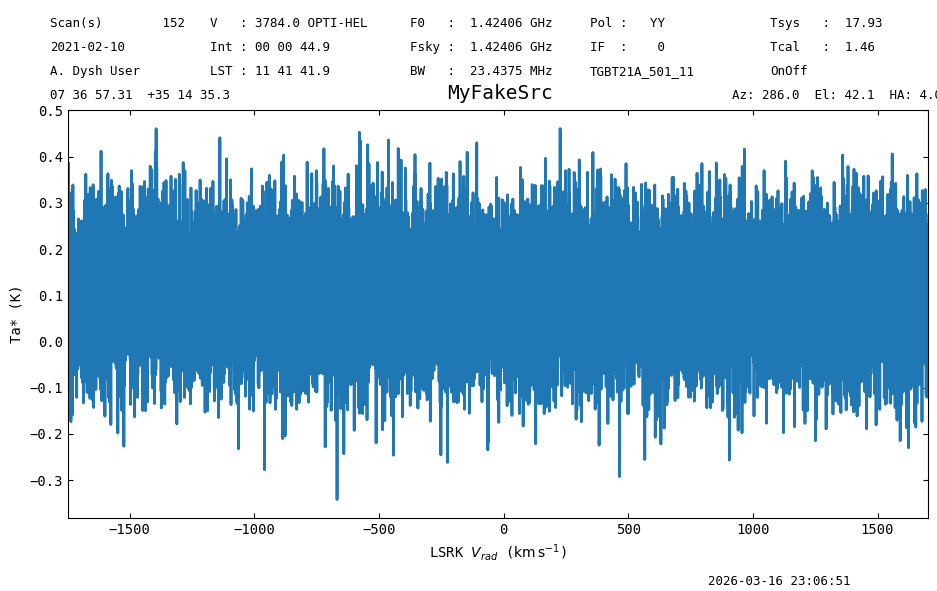
Find the hydrogen recombination lines that could be in this spectrum, and display their name, chemical name and frequency (in MHz).
s.recomb(line='hydrogen', cat='gbtrecomb', columns=['name', 'chemical_name', 'rest_frequency','obs_frequency'])
| name | chemical_name | rest_frequency | obs_frequency |
|---|---|---|---|
| str10 | str27 | float64 | float64 |
| Hγ | Hydrogen Recombination Line | 1436.17485014444 | 1418.0880871880854 |
| Hβ | Hydrogen Recombination Line | 1440.71993807134 | 1422.5759356166463 |
| Hε | Hydrogen Recombination Line | 1443.2677438484002 | 1425.0916550783502 |
| Hδ | Hydrogen Recombination Line | 1446.14393752243 | 1427.9316268165944 |
| Hζ | Hydrogen Recombination Line | 1447.12682709455 | 1428.9021381670088 |
Find all lines in the spectrum’s frequency range.
s.query_lines(cat='gbtlines',columns=['name', 'chemical_name', 'rest_frequency','obs_frequency'])
| name | chemical_name | rest_frequency | obs_frequency |
|---|---|---|---|
| str62 | str16 | float64 | float64 |
| 17OH | Hydroxyl radical | 1445.0345 | 1426.8361612234746 |
| ND<sub>3</sub> | Ammonia | 1434.448 | 1416.3829844856236 |
| ND<sub>3</sub> | Ammonia | 1434.448 | 1416.3829844856236 |
| ND<sub>3</sub> | Ammonia | 1434.448 | 1416.3829844856236 |
| ND<sub>3</sub> | Ammonia | 1434.448 | 1416.3829844856236 |
| ND<sub>3</sub> | Ammonia | 1437.179 | 1419.0795910761938 |
| ND<sub>3</sub> | Ammonia | 1448.056 | 1429.819609342628 |
| ND<sub>3</sub> | Ammonia | 1448.056 | 1429.819609342628 |
| ND<sub>3</sub> | Ammonia | 1448.056 | 1429.819609342628 |
| ... | ... | ... | ... |
| D<sub>2</sub><sup>13</sup>CO | Formaldehyde | 1440.6321 | 1422.4892037520992 |
| c-H<sub>2</sub>C<sub>2</sub><sup>13</sup>CO | Cyclopropenone | 1440.0488 | 1421.9132496604552 |
| c-HDC<sub>3</sub>O | Cyclopropenone | 1446.9711 | 1428.7483722536094 |
| <sup>13</sup>CH<sub>2</sub>CHCN | Vinyl Cyanide | 1439.3028 | 1421.1766445646788 |
| CH<sub>3</sub>CH<sub>2</sub>CN <font color="red">v = 0 </font> | Ethyl Cyanide | 1437.2031 | 1419.1033875678936 |
| CH<sub>3</sub>CH<sub>2</sub>CN <font color="red">v = 0 </font> | Ethyl Cyanide | 1437.2589 | 1419.1584848391328 |
| CH<sub>3</sub>CH<sub>2</sub>CN <font color="red">v = 0 </font> | Ethyl Cyanide | 1437.4528 | 1419.349942919657 |
| CH<sub>2</sub>CN | Cyanomethyl | 1439.976 | 1421.841366482208 |
| <sup>13</sup>CH<sub>2</sub>CHCN | Vinyl Cyanide | 1439.3028 | 1421.1766445646788 |
To clear the cache, use:
SpectralLineSearch.clear_cache()
Final Stats#
Finally, at the end we compute some statistics over a spectrum, merely as a checksum if the notebook is reproducible.
s.check_stats(0.09961288 * u.K)
23:06:52.481 I rms is OK