
Frequency-switched Data Reduction#
This notebook shows how to use dysh to calibrate a frequency switched observation. The idea is similar to an OnOff observation, except the telescope does not move to an Off in position on the sky, but moves its intermediate frequency in frequency space. Here we call the On and Off the Sig and Ref, but both will have the signal, just shifted in the band. Since the telescope is always tracking the target, combining the Sig and a shifted (folded) Ref, a \(\sqrt{2}\) improvement in signal-to-noise can be achieved.
The retrieval and calibration of frequency-switched observations uses GBTFITSLoad.getfs, which returns a ScanBlock object.
Dysh commands#
The following dysh commands are introduced (leaving out all the function arguments):
  filename = dysh_data()
  sdf = GBTFITSLoad()
  sdf.select()
  sb = sdf.getfs()
  ta = sb.timeaverage()
  ta.baseline()
  ta.average()
  ta.plot()
Loading Modules#
We start by loading the modules we will use for this example.
# These modules are required for working with the data.
from dysh.fits.gbtfitsload import GBTFITSLoad
from dysh.log import init_logging

# These modules are used for file I/O
from dysh.util.files import dysh_data
from pathlib import Path
Setup#
We start the dysh logging, so we get more information about what is happening. This is only needed if working on a notebook. If using the CLI through the dysh command, then logging is setup for you.
init_logging(2)

# also create a local "output" directory where temporary notebook files can be stored.
output_dir = Path.cwd() / "output"
output_dir.mkdir(exist_ok=True)
Data Retrieval#
Download the example SDFITS data, if necessary.
filename = dysh_data(example="getfs2")
23:05:26.113 I Resolving example=getfs2 -> frequencyswitch/data/TREG_050627/TREG_050627.raw.acs/TREG_050627.raw.acs.fits
23:05:26.114 I url: http://www.gb.nrao.edu/dysh//example_data/frequencyswitch/data/TREG_050627/TREG_050627.raw.acs/TREG_050627.raw.acs.fits
Downloading TREG_050627.raw.acs.fits from http://www.gb.nrao.edu/dysh//example_data/frequencyswitch/data/TREG_050627/TREG_050627.raw.acs/TREG_050627.raw.acs.fits
23:05:26.400 I Starting download...
23:05:36.442 I Saved TREG_050627.raw.acs.fits to TREG_050627.raw.acs.fits
Retrieved TREG_050627.raw.acs.fits
Data Loading#
Next, we use GBTFITSLoad to load the data, and then its summary method to inspect its contents.
sdfits = GBTFITSLoad(filename)
sdfits.summary()
| SCAN | OBJECT | VELOCITY | PROC | PROCSEQN | RESTFREQ | # IF | # POL | # INT | # FEED | AZIMUTH | ELEVATION |
|---|---|---|---|---|---|---|---|---|---|---|---|
| 90 | W3OH | 0.0 | Track | 1 | 1.667359 | 1 | 2 | 6 | 1 | 22.2283 | 18.1145 |
| 91 | W3OH | 0.0 | Track | 1 | 1.667359 | 1 | 2 | 6 | 1 | 22.3521 | 18.2098 |
| 92 | W3OH | 0.0 | Track | 1 | 1.667359 | 1 | 2 | 6 | 1 | 22.4739 | 18.3043 |
| 93 | W3OH | 0.0 | Track | 1 | 1.667359 | 1 | 2 | 6 | 1 | 22.5953 | 18.3993 |
| 94 | W3OH | 0.0 | Track | 1 | 1.667359 | 1 | 2 | 6 | 1 | 22.7163 | 18.4949 |
This data set contains 5 scans, 90 through 94. Each scan observed a single spectral window in two polarizations.
Data Reduction#
Single Scan#
The default is to fold the Sig and Ref to create the final spectrum. Use fold=False to not fold them and use_sig=False to reverse the role of Sig and Ref. We will start calibrating scan=90 (there are 5), ifnum=0 (there is 1) and plnum=1 (there are 2).
fs_scan_block = sdfits.getfs(scan=90, ifnum=0, plnum=1, fdnum=0)
The return of sdfits.getfs is a ScanBlock which contains a single FSScan. The FSScan contains the calibrated data for all of the integrations. Now we will time average the integrations.
Time Averaging#
To time average the contents of a ScanBlock use its timeaverage method. Be aware that time averging will not check if the source is the same.
By default time averaging uses the following weights:
dysh these are set using weights='tsys' (the default).
ta = fs_scan_block.timeaverage(weights='tsys')
Plotting#
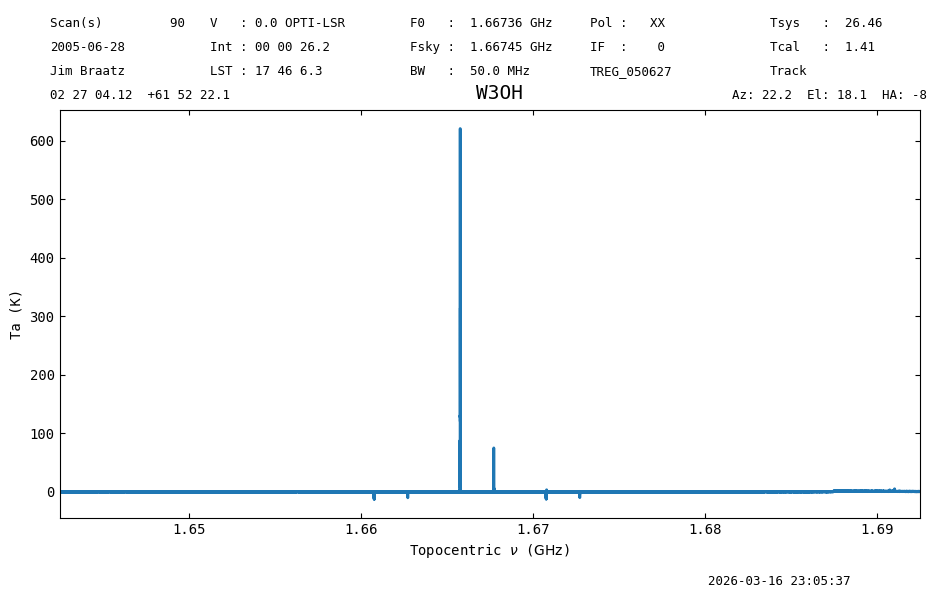
Plot the data and use different units for the spectral axis.
ta.plot();
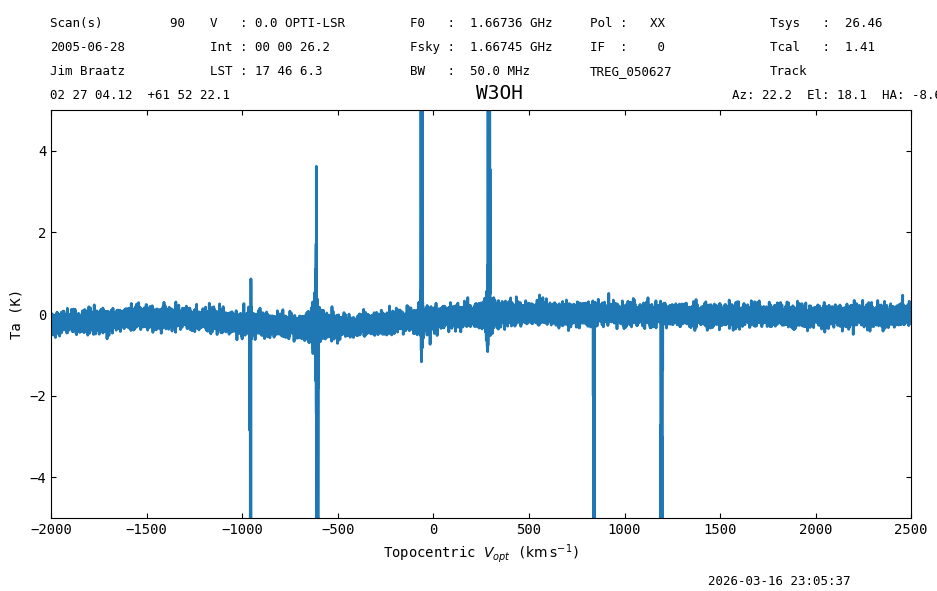
Now change the x-axis units to km s\(^{-1}\) and restrict the range being shown.
ta.plot(xaxis_unit="km/s", yaxis_unit="K", ymin=-5, ymax=5, xmin=-2000, xmax=2500);
Baseline Subtraction#
Next we remove a baseline from the data.
We zoom in into the baseline to determine which model the use.
ta.plot(xaxis_unit="chan", yaxis_unit="K", ymin=-2, ymax=2, title="before baseline subtraction");
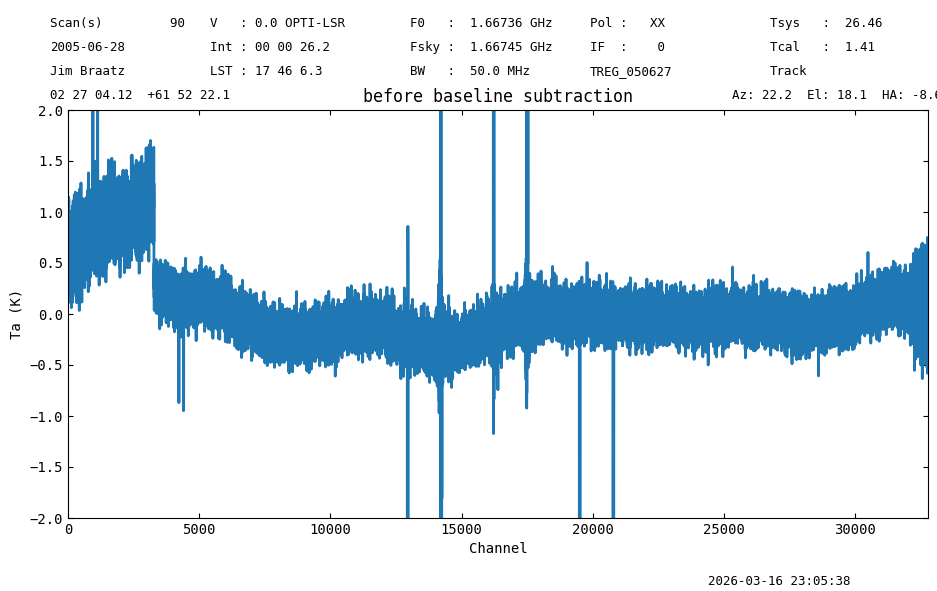
The baseline looks quasi-periodic, so a Chebyshev (model='chebyshev') polynomial model may be a good model to use. Other available alternatives are: hermite, legendre and classic polynomial
For baseline subtraction it is possible to specify the range of channels to be included in the fit (using the include argument) or excluded (using the exclude argument). Only one channel selection can be used at a time.
We will also look at the mean, rms, min and max of the data before and after baseline subtraction.
# Define a string.
fmt_str = "mean: {mean:.4f} median: {median:.4f} rms: {rms:.3f} min: {min:.2f} max: {max:.2f}"
# Print the statistics before baseline subtraction.
print(f"Before baseline subtraction -- {fmt_str}".format(**ta[4200:5300].stats()))

# Subtract the baseline.
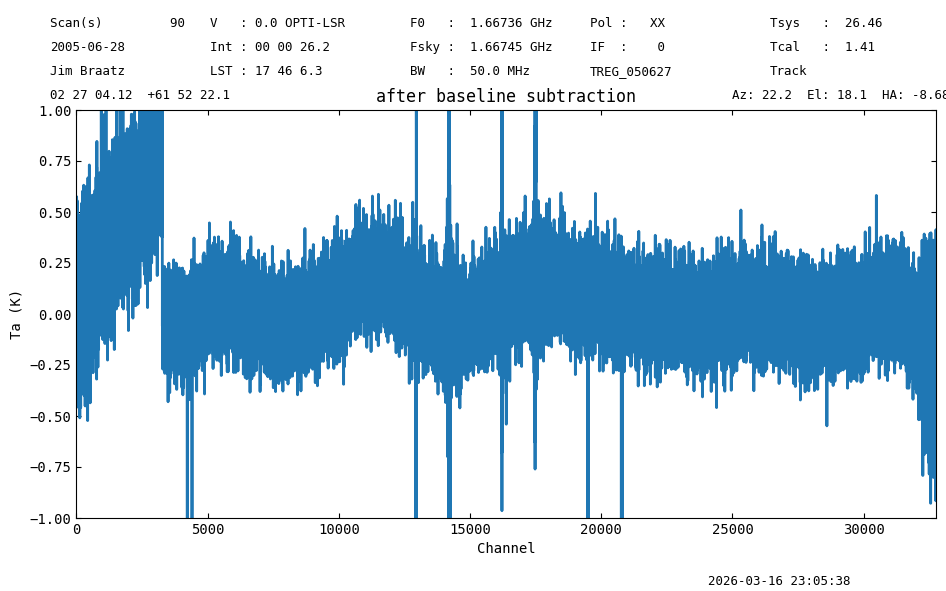
ta.baseline(model="chebyshev", degree=5, include=[(4200,10000),(22000,32000)], remove=True)

# Print the statistics after baseline subtraction.
print(f"After baseline subtraction -- {fmt_str}".format(**ta[4200:5300].stats()))

# Now plot the baseline subtracted spectrum.
ta.plot(xaxis_unit="chan", yaxis_unit="K", ymin=-1, ymax=1, title="after baseline subtraction");
23:05:38.486 I EXCLUDING [Spectral Region, 1 sub-regions:
  (1642454441.0 Hz, 1643624790.1210938 Hz)
, Spectral Region, 1 sub-regions:
  (1658883579.1835938 Hz, 1677194126.0585938 Hz)
, Spectral Region, 1 sub-regions:
  (1686044223.7148438 Hz, 1692452915.1210938 Hz)
]
Before baseline subtraction -- mean: 0.1370 K median: 0.1368 K rms: 0.140 K min: -0.95 K max: 0.56 K
After baseline subtraction -- mean: -0.0089 K median: -0.0093 K rms: 0.145 K min: -1.13 K max: 0.45 K
Now we will undo this baseline fit, and plot it again to see if we get the same spectrum back. Also adding the statistics on the first section of the baseline to confirm the statistics are all the same as before we started fitting.
ta.undo_baseline()
ta_plt = ta.plot(xaxis_unit="chan", yaxis_unit="K", ymin=-1, ymax=1, title='undo the baseline subtraction')
print(f"After undoing the baseline subtraction -- {fmt_str}".format(**ta[4200:5300].stats()))
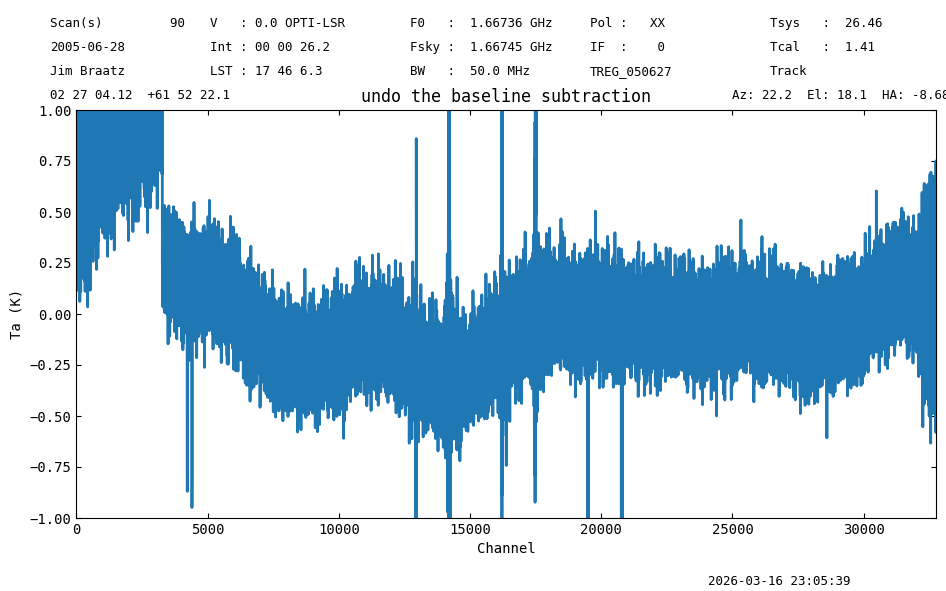
After undoing the baseline subtraction -- mean: 0.1370 K median: 0.1368 K rms: 0.140 K min: -0.95 K max: 0.56 K
ta_plt.savefig(output_dir / "baselined_removed.png")
Using Selection#
We will repeat the calibration of scan=90 using selection. To do this we pre-select the data using the sdfits.select() method.
sdfits.select(scan=90)
fs_scan_block2 = sdfits.getfs(plnum=1, ifnum=0, fdnum=0)
ta2 = fs_scan_block2.timeaverage()
ta2.plot(title='Time averaged  plnum=1')
print(f"Using selection polarization 1 -- {fmt_str}".format(**ta2[4200:5300].stats()))
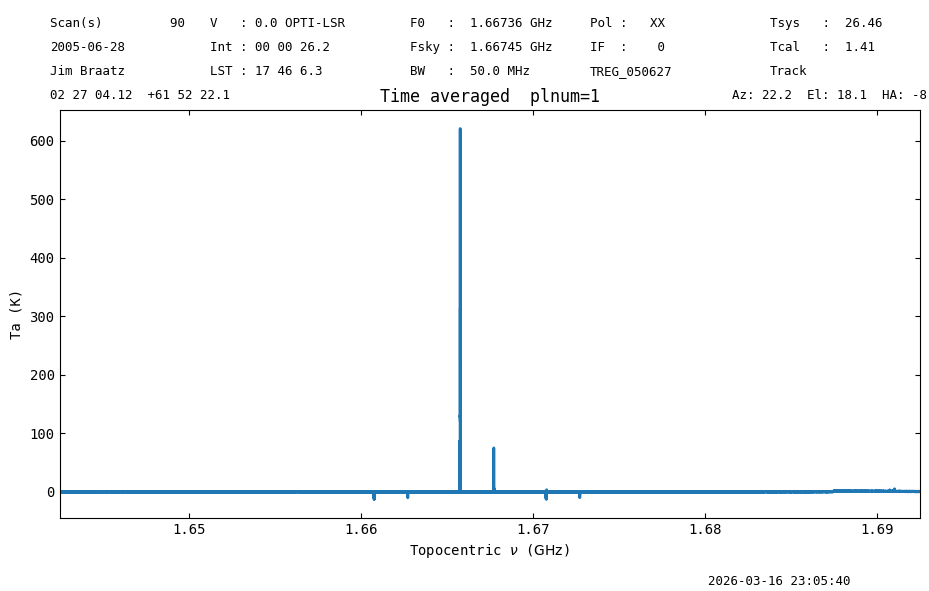
Using selection polarization 1 -- mean: 0.1370 K median: 0.1368 K rms: 0.140 K min: -0.95 K max: 0.56 K
Polarization Average#
Now we will calibrate the other polarization and average the two polarizations together.
First we calibrate the second polarization, then time average it and inspect the time-averaged calibrated spectrum.
fs_scan_block3 = sdfits.getfs(plnum=0, ifnum=0,fdnum=0)
ta3 = fs_scan_block3.timeaverage()
ta3.plot(title='Time averaged plnum=0')
print(f"Using selection polarization 0 -- {fmt_str}".format(**ta3[4200:5300].stats()))
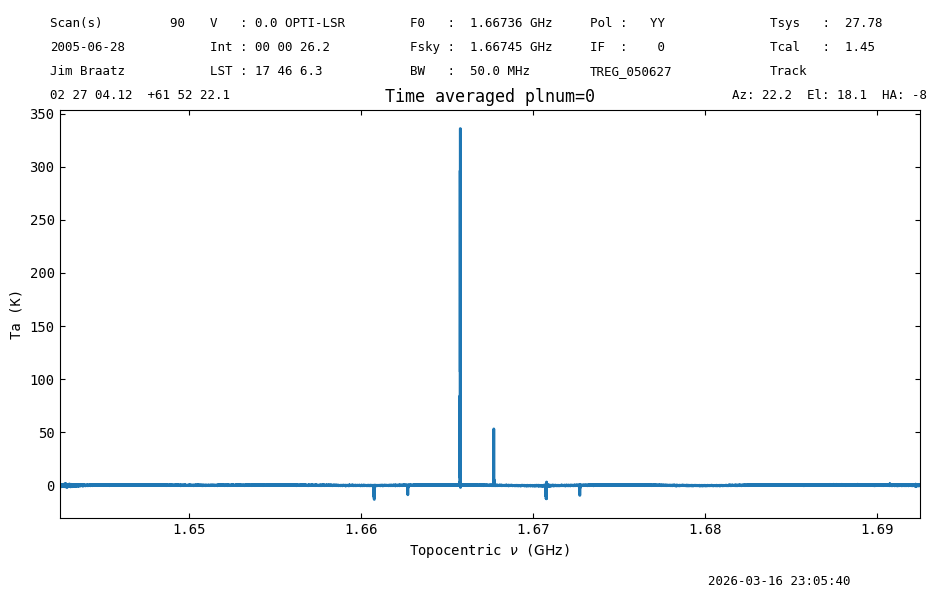
Using selection polarization 0 -- mean: 0.3070 K median: 0.3110 K rms: 0.134 K min: -0.45 K max: 0.79 K
Now we average the polarizations.
# avg = 0.5*(ta2 + ta3) also works but the average() function does proper tsys weighting
avg = ta2.average(ta3)
avg.plot(ymin=-1,ymax=1, title='Averaged spectrum')
avg[4200:5300].plot()
print(f"Polarization average -- {fmt_str}".format(**avg[4200:5300].stats()))
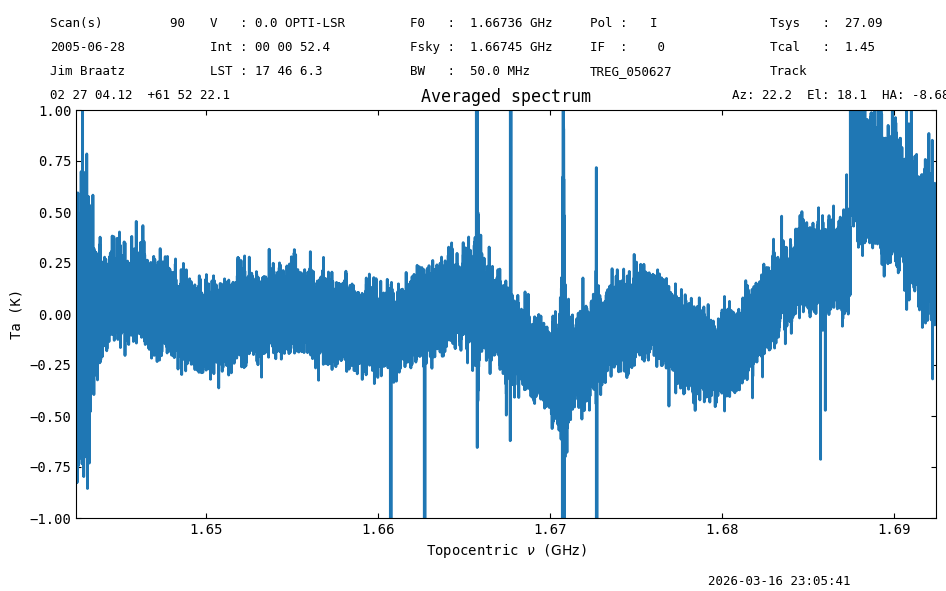
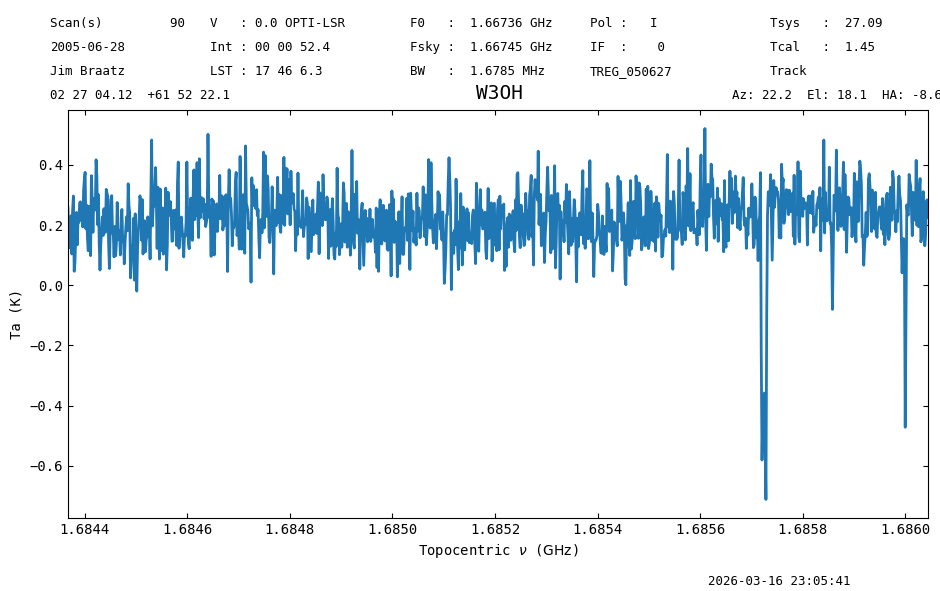
Polarization average -- mean: 0.2179 K median: 0.2208 K rms: 0.105 K min: -0.71 K max: 0.52 K
The noise is reduced by 1.34. Not exactly a factor of \(\sqrt{2}\), likely because of the baseline.
Final Stats#
Finally, at the end we compute some statistics over a spectrum, merely as a checksum if the notebook is reproducible.
avg.check_stats(4.72584433)
23:05:41.603 I rms is OK (no unit was given, assumed K)
avg[23000:27000].radiometer() # 0.9542747726517753
np.float64(0.9421295947531141)