Using Spectral Weights#
This guide shows how to weight Scans and spectra during averaging and how to find out what weights were used in the process.
You can find a copy of this tutorial as a Jupyter notebook here or download it by right clicking here and selecting “Save Link As”.
Loading Modules#
We start by loading the modules we will use for the data reduction.
For display purposes, we use the static (non-interactive) matplotlib backend in this tutorial. However, you can tell matplotlib to use the ipympl backend to enable interactive plots. This is only needed if working on jupyter lab or notebook.
# Set interactive plots in jupyter.
#%matplotlib ipympl

# These modules are required for this example.
import numpy as np
import astropy.units as u
from dysh.spectra import tsys_weight
from dysh.spectra import average_spectra
from dysh.fits.gbtfitsload import GBTFITSLoad

# These modules are only used to download the data.
from pathlib import Path
from dysh.util.download import from_url
Data Retrieval#
Download the example SDFITS data, if necessary.
url = "http://www.gb.nrao.edu/dysh/example_data/positionswitch/data/AGBT05B_047_01/AGBT05B_047_01.raw.acs/AGBT05B_047_01.raw.acs.fits"
savepath = Path.cwd() / "data"
savepath.mkdir(exist_ok=True) # Create the data directory if it does not exist.
filename = from_url(url, savepath)
Data Loading#
Next, we use GBTFITSLoad to load the data, and then its summary method to inspect its contents.
sdf = GBTFITSLoad(filename)
sdf.summary()
/home/docs/checkouts/readthedocs.org/user_builds/dysh/envs/release-0.11.5/lib/python3.10/site-packages/pandas/core/strings/object_array.py:395: ResourceWarning: unclosed <socket.socket fd=52, family=AddressFamily.AF_INET, type=SocketKind.SOCK_STREAM, proto=6, laddr=('172.17.0.2', 35230), raddr=('192.33.116.7', 80)>
  f = lambda x: x.split(pat, n)
| SCAN | OBJECT | VELOCITY | PROC | PROCSEQN | RESTFREQ | DOPFREQ | # IF | # POL | # INT | # FEED | AZIMUTH | ELEVATION |
|---|---|---|---|---|---|---|---|---|---|---|---|---|
| 51 | NGC5291 | 4386.0 | OnOff | 1 | 1.420405 | 1.420405 | 1 | 2 | 11 | 1 | 198.3431 | 18.6427 |
| 52 | NGC5291 | 4386.0 | OnOff | 2 | 1.420405 | 1.420405 | 1 | 2 | 11 | 1 | 198.9306 | 18.7872 |
| 53 | NGC5291 | 4386.0 | OnOff | 1 | 1.420405 | 1.420405 | 1 | 2 | 11 | 1 | 199.3305 | 18.3561 |
| 54 | NGC5291 | 4386.0 | OnOff | 2 | 1.420405 | 1.420405 | 1 | 2 | 11 | 1 | 199.9157 | 18.4927 |
| 55 | NGC5291 | 4386.0 | OnOff | 1 | 1.420405 | 1.420405 | 1 | 2 | 11 | 1 | 200.3042 | 18.0575 |
| 56 | NGC5291 | 4386.0 | OnOff | 2 | 1.420405 | 1.420405 | 1 | 2 | 11 | 1 | 200.8906 | 18.1860 |
| 57 | NGC5291 | 4386.0 | OnOff | 1 | 1.420405 | 1.420405 | 1 | 2 | 11 | 1 | 202.3275 | 17.3853 |
| 58 | NGC5291 | 4386.0 | OnOff | 2 | 1.420405 | 1.420405 | 1 | 2 | 11 | 1 | 202.9192 | 17.4949 |
Position Switched Calibration#
We calibrate several scans at once for NGC5291.
This results in a ScanBlock with 4 scans, each with 11 integrations.
The default weights are unity, with one weight value per integration.
pssb = sdf.getps(object='NGC5291', ifnum=0, plnum=1, fdnum=0)
print(f"Number of scans: {len(pssb)}, Number of integrations per scan: {[k.nint for k in pssb]}")
print(f"Scan weights: {pssb.weights}")
Number of scans: 4, Number of integrations per scan: [11, 11, 11, 11]
Scan weights: [array([1., 1., 1., 1., 1., 1., 1., 1., 1., 1., 1.]), array([1., 1., 1., 1., 1., 1., 1., 1., 1., 1., 1.]), array([1., 1., 1., 1., 1., 1., 1., 1., 1., 1., 1.]), array([1., 1., 1., 1., 1., 1., 1., 1., 1., 1., 1.])]
Applying weights when averaging Scans#
When time averaging integrations and/or scans to create a final spectrum, you can choose from dysh’s two options (‘tsys’ or None) or supply your own weight array.
1. System temperature weighting#
The default for timeaverage() is ‘tsys’ which calculates and applies system temperature weighting to each integration:
\(w = t_{exp} \times \delta\nu/T_{sys}^2\),
where \(t_{exp}\) is the integration exposure time, \(\delta\nu\) is the channel width, and \(T_{sys}\) is the system temperature.
You can check what those weights will be with tsys_weight.
pssb.tsys_weight
array([array([20.02238592, 19.23775753, 19.89469281, 19.13748516, 19.43619207,
              19.24989036, 19.94781504, 19.81766121, 19.90398672, 19.86791497,
              19.1754635 ])                                                   ,
       array([18.94476267, 19.78439063, 19.85434244, 19.90054628, 19.95968097,
              19.08878802, 18.97575899, 18.5760123 , 19.76114768, 19.71441725,
              19.70968407])                                                   ,
       array([18.77161334, 19.62257845, 19.70200273, 19.68613794, 19.65882906,
              19.85660591, 19.57284449, 19.60902436, 18.74157248, 18.6538321 ,
              18.75593527])                                                   ,
       array([18.44256036, 18.36839774, 18.34613799, 18.39603826, 17.95338427,
              19.04965151, 19.09771163, 19.18475276, 19.09809603, 19.09126971,
              18.34217249])                                                   ],
      dtype=object)
(Note this is an array of arrays rather than a multidimensional array because different scans may have differing numbers of integrations).
timeaverage() with the default arguments will use these weights.
The final spectral weight is the sum of all weights.
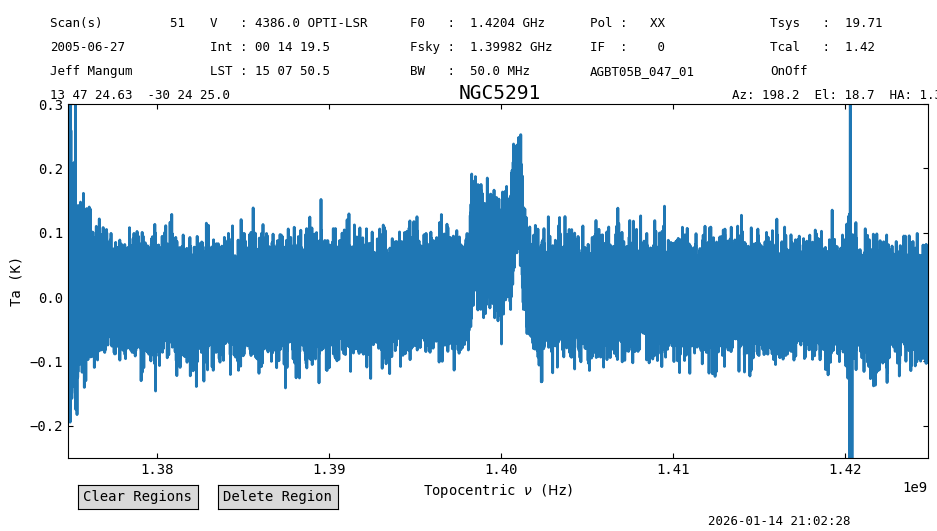
In the following lines of code we will time average the \(4\times11\) integrations using the default weights (‘tsys’), and then remove a baseline from the resulting time average. For the baseline removal we exclude ranges at the edges of the spectrum and where we know there’s a signal. We end by plotting the time averged baseline subtracted spectrum, and printing the weights and statistics.
ta1 = pssb.timeaverage()  # default is weights='tsys'

# Define regions to be excluded from the baseline fit.
exclude_regions = [(1.37*u.GHz,1.38*u.GHz),
                   (1.395*u.GHz,1.405*u.GHz),
                   (1.42*u.GHz,1.43*u.GHz)]

# Fit an order 1 polynomial excluding the ranges defined above and subtract it (remove=True).
ta1.baseline(degree=1, remove=True, exclude=exclude_regions)

# Plot the result.
ta1.plot(ymin=-0.25, ymax=0.3)

# Print final weights and statistics.
print(f"final weights={ta1.weights}")
ta1.stats()
final weights=[847.9619254640448 847.9619254640448 847.9619254640448 ...
 847.9619254640448 847.9619254640448 847.9619254640448]
{'mean': <Quantity 0.00493475 K>,
 'median': <Quantity 0.00348282 K>,
 'rms': <Quantity 0.05926608 K>,
 'min': <Quantity -1.74795385 K>,
 'max': <Quantity 0.76657302 K>,
 'npt': 32768,
 'nan': np.int64(0)}
2. Equal weighting#
Supplying weights=None will weight all integrations the same.
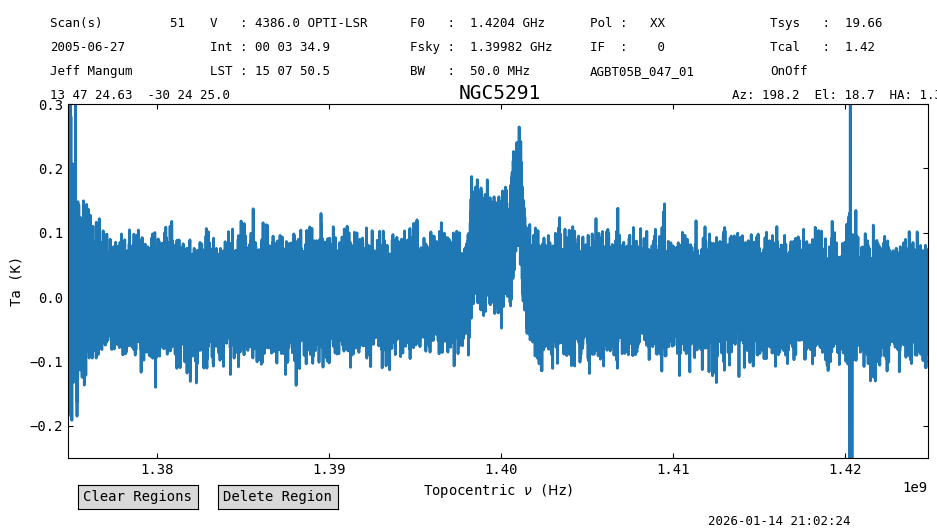
In this case, the result is not much different than tsys, because the \(T_{sys}\) weights were already pretty uniform.
We also baseline subtract and plot the results.
ta2 = pssb.timeaverage(weights=None)
ta2.baseline(degree=1, remove=True, exclude=exclude_regions)
ta2.plot(ymin=-0.25, ymax=0.3)
print(f"final weights={ta2.weights}")
ta2.stats()
final weights=[4.0 4.0 4.0 ... 4.0 4.0 4.0]
{'mean': <Quantity 0.00493513 K>,
 'median': <Quantity 0.00344473 K>,
 'rms': <Quantity 0.05928395 K>,
 'min': <Quantity -1.74943676 K>,
 'max': <Quantity 0.76626611 K>,
 'npt': 32768,
 'nan': np.int64(0)}
3. User-supplied weights#
You can supply a numpy array of weights to apply. For ScanBlock.timeaverage() the weights must have shape (Nint,) or (Nint,nchan) where Nint is the number of integrations in the ScanBlock and nchan is the number of channels in each scan.
3a. Number of weights equal to number of integrations#
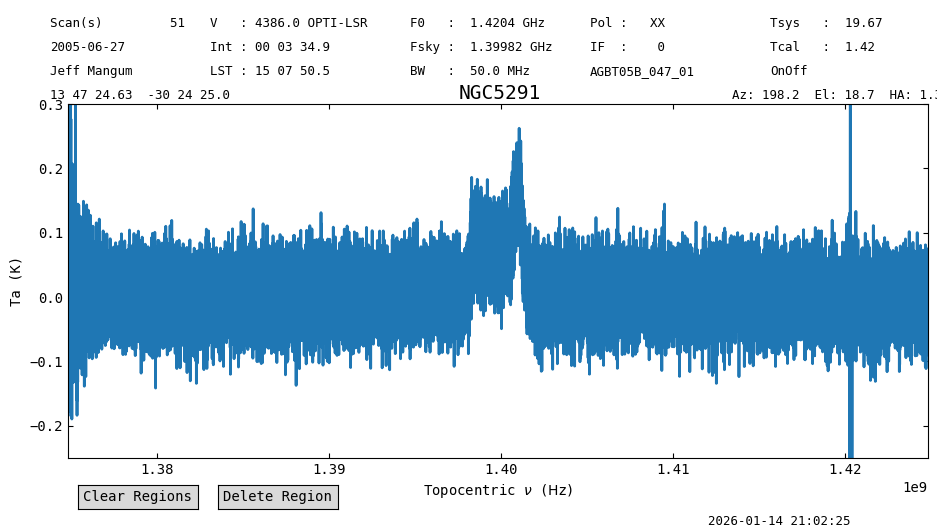
We create a slightly silly example, that weights later integrations more.
w = np.arange(1, pssb.nint+1, dtype=float)
ta3a = pssb.timeaverage(weights=w)
ta3a.baseline(degree=1, remove=True, exclude=exclude_regions)
ta3a.plot(ymin=-0.25, ymax=0.3)
print(f"final weights={ta3a.weights}")
final weights=[990.0 990.0 990.0 ... 990.0 990.0 990.0]
3b. Weights for each channel and integration#
Supposed you had a channel-based \(T_{sys}\) for each integration and wanted to calculate and apply system temperature weights.
This can be accomplished by giving a weights array to ScanBlock.timeaverage().
First we fake a tsys array of the correct shape.
Then we calculate system temperate weights using the mean exposure time and mean channel width of the scans.
tsys = 30 + np.random.rand(pssb.nint, pssb.nchan)*15.0  # Fake system temperature array in the 30-45K range.
# The mean exposure and channel width.
dt = np.mean(np.mean(pssb.exposure))
df = np.mean(np.mean(pssb.delta_freq))

# Compute new weights using the inverse variance as given by the radiometer equation.
w = tsys_weight(dt, df, tsys)
print(f"{tsys=}")
print(f"Weights array shape: {w.shape}")
tsys=array([[38.5306248 , 42.75845521, 31.86853058, ..., 41.4812297 ,
        41.62934134, 30.37933336],
       [42.5212641 , 44.76427351, 39.61583753, ..., 37.77581741,
        31.56591297, 31.5772075 ],
       [30.27658611, 42.30440574, 32.32029903, ..., 35.13973018,
        32.00778464, 40.81037427],
       ...,
       [35.73749309, 34.45211959, 30.57830321, ..., 44.69661985,
        34.11250072, 31.93454919],
       [39.80241218, 35.84754465, 31.25641811, ..., 37.14551895,
        32.4973636 , 38.56307838],
       [44.41448329, 34.67835812, 35.41240477, ..., 38.449376  ,
        32.44335465, 32.7575559 ]], shape=(44, 32768))
Weights array shape: (44, 32768)
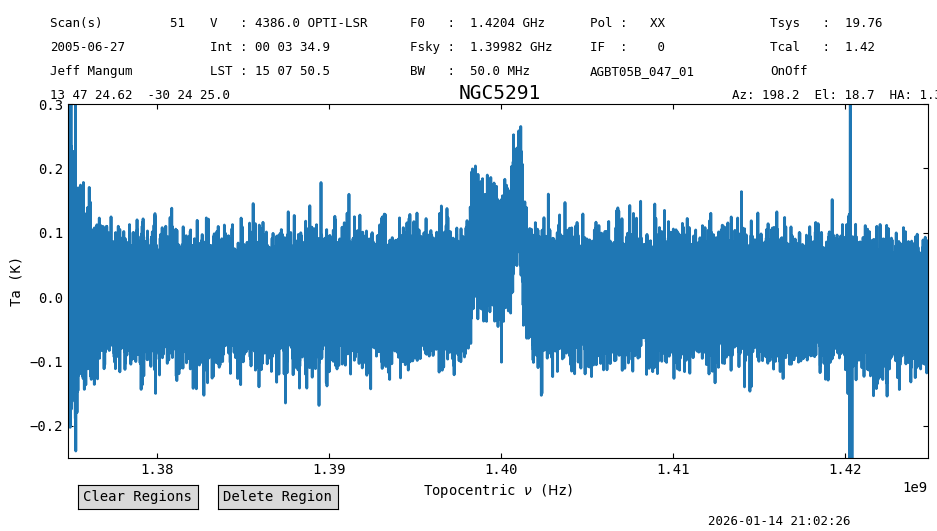
Now time average the data using the weights defined above, and repeat the baseline subtraction and plotting.
ta3b = pssb.timeaverage(weights=w)
ta3b.baseline(degree=1, remove=True, exclude=exclude_regions)
ta3b.plot(ymin=-0.25, ymax=0.3)
print(f"final weights={ta3b.weights}")
final weights=[245.72363816081784 242.9507777754704 243.17779699226602 ...
 242.69718993989676 255.7865461729179 244.56598295196181]
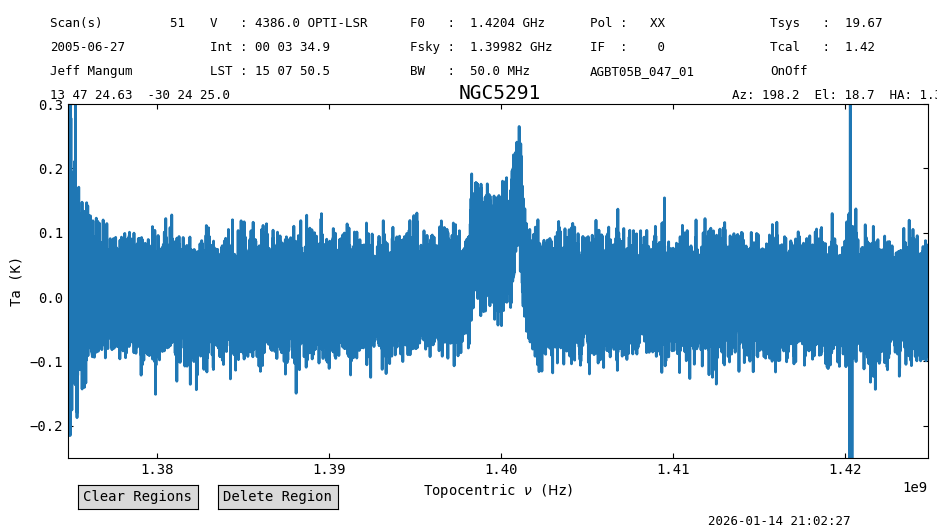
Note the scan weights have been updated, and are now equal to the weights supplied to the timeaverage function, so their shape is now (nint, nchan).
print(pssb[0].weights.shape)
print(f"Are the Scan weights the same as those we defined? {np.all(w[0:11] == pssb[0].weights)}")
(11, 32768)
Are the Scan weights the same as those we defined? True
Applying weights when averaging Spectrum#
The method average_spectra can compute weighted averages in 3 ways.
The first two are the usual weights='tsys' and weights=None options.
The third option, weights='spectral' will average the spectra using the values in each of their weights array.
Note that average_spectra is the function used by Spectrum.average to average spectra.
sp = average_spectra([ta1, ta2, ta3a, ta3b], weights='spectral')
sp.plot(ymin=-0.25, ymax=0.3)
print(f"final weights={sp.weights}")
final weights=[2087.6855636248624 2084.912703239515 2085.1397224563107 ...
 2084.6591154039415 2097.7484716369627 2086.5279084160065]