

GitHub Integrations#
Actions#
Tests should be named test_*.py and located within a tests directory of their parent module. To define a workflow that runs the tests, create a new yml file in dysh/.github/workflows/.
Issues#
We use GitHub Issues to keep track of things that need doing. If you can’t get to something right away, might as well make an issue so we remember to do it. Beta testers will also use issues to report on their findings.
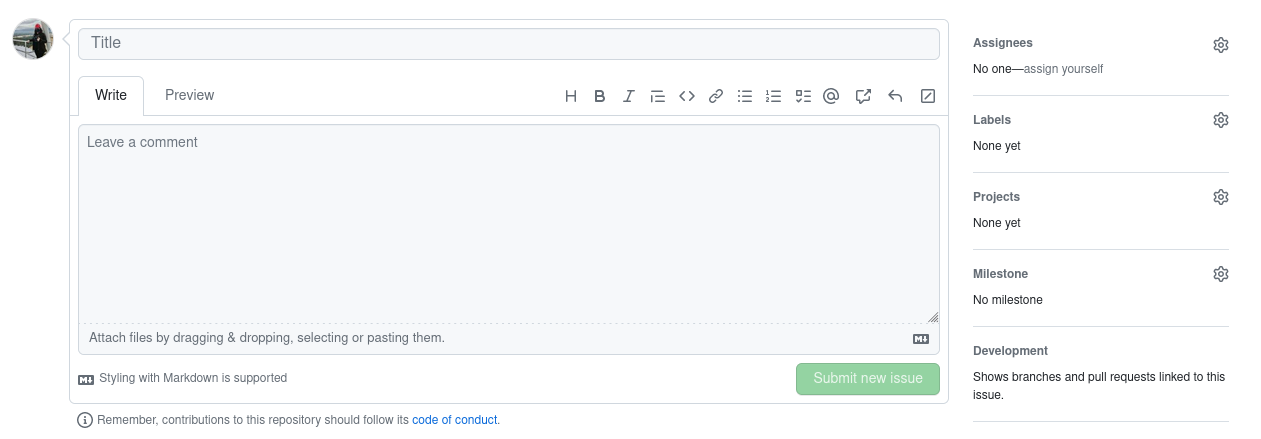
To submit an issue, use the following steps:
Select “New Issue”
Pre-Commit Hooks#
We have several pre-commit hooks that make sure committed code follows some desired standards. You can find them in dysh/.pre-commit-config.yaml. To install and use them, do the following:
$ cd /path/to/dysh
$ hatch shell
(dysh) $ pip install pre-commit
(dysh) $ pre-commit install
Now, pre-commit will run whenever you commit code. You can also manually run it. Consider the case where you have made a new Python file, newfile.py. The steps to properly commit it would look like so:
(dysh) $ git add newfile.py
(dysh) $ pre-commit
There are some problems with this file, which pre-commit fixes.
trim trailing whitespace.................................................Failed
- hook id: trailing-whitespace
- exit code: 1
- files were modified by this hook

Fixing newfile.py

fix end of files.........................................................Failed
- hook id: end-of-file-fixer
- exit code: 1
- files were modified by this hook

Fixing newfile.py

check yaml...........................................(no files to check)Skipped
check toml...........................................(no files to check)Skipped
check for added large files..............................................Passed
debug statements (python)................................................Passed
detect private key.......................................................Passed
mixed line ending........................................................Failed
- hook id: mixed-line-ending
- exit code: 1

newfile.py: fixed mixed line endings

check docstring is first.................................................Passed
check for case conflicts.................................................Passed
isort....................................................................Failed
- hook id: isort
- files were modified by this hook

Fixing E:\Code\GitHub\Work\GreenBankObservatory\dysh\newfile.py

black....................................................................Failed
- hook id: black
- files were modified by this hook

reformatted newfile.py

All done! \u2728 \U0001f370 \u2728
1 file reformatted.
Now, you have to re-add the modified file before committing it.
(dysh) $ git add newfile.py
(dysh) $ git commit -m "adding new python file"
The pre-commit will run again to make sure all of the staged files are formatted correctly. If it succeeds, you’ll see a message like this, then the information about your commit.
trim trailing whitespace.................................................Passed
fix end of files.........................................................Passed
check yaml...........................................(no files to check)Skipped
check toml...........................................(no files to check)Skipped
check for added large files..............................................Passed
debug statements (python)................................................Passed
detect private key.......................................................Passed
mixed line ending........................................................Passed
check docstring is first.................................................Passed
check for case conflicts.................................................Passed
isort....................................................................Passed
black....................................................................Passed
Projects#
There are 2 GitHub Projects defined for this repository.